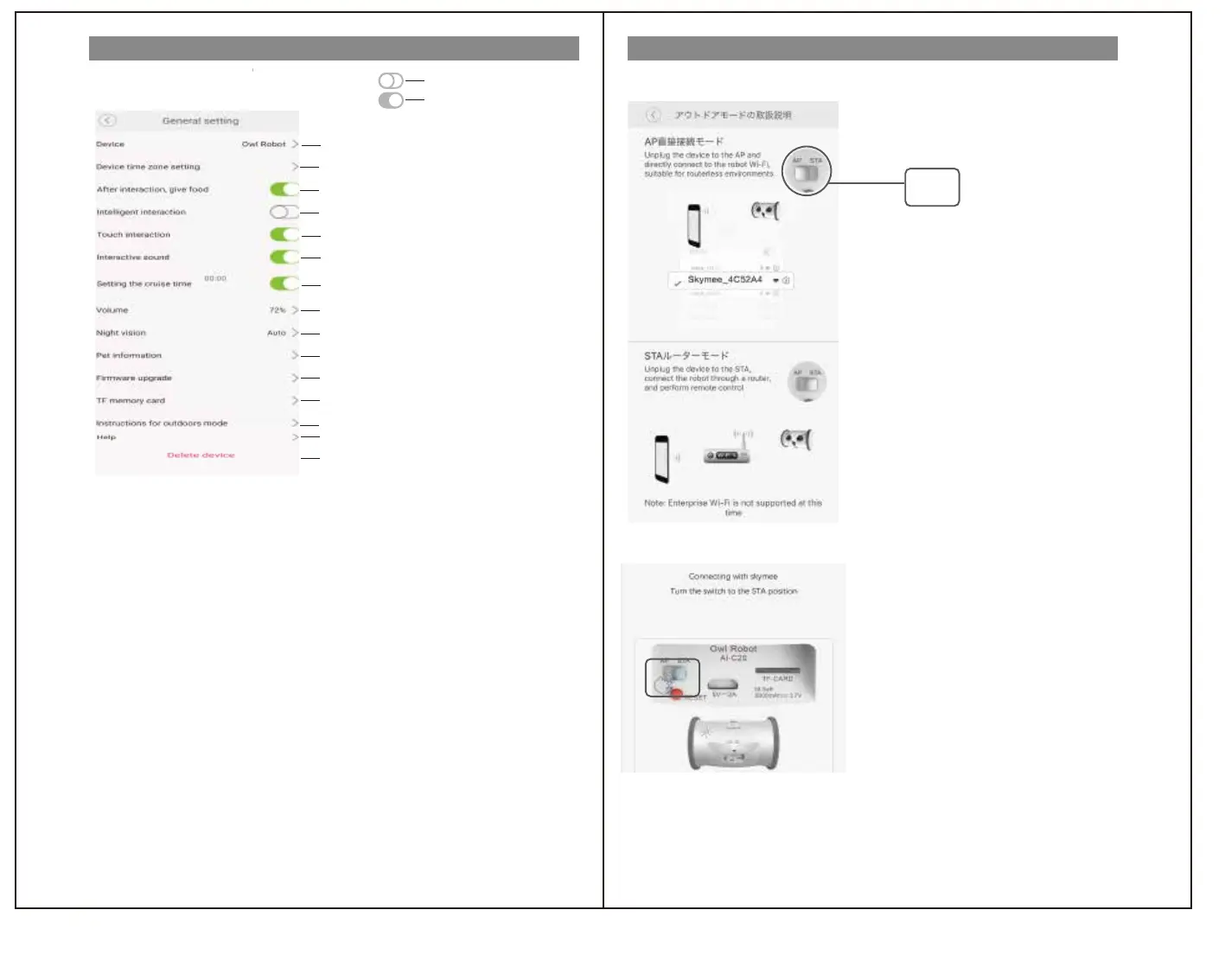
Device settings
Instructions for outdoor mode setting
off
on
Change device name
Can't operate
I'll give you a snack after the operation.
It reacts to the movement of your pet.
Reacts in response to pet movements
You can set the cruise time
You can set the volume
Switch on/off infrared when the light is dark
You can modify/delete pet information
You can upgrade to the latest firmware version
You can delete the data on the TF card and check the used capacity.
Skymee official website (English)
Used only when setting the route for owl driving
*Screen of mobile terminal
AP Connection
You can delete this device and connect again.
Tap to switch
AP mode-You can operate using the access point of this product
①Press and hold the power button of this product to
turn off the power.
* The status lamp goes out.
② Set the switch on the back of this product to "AP".
②
③Press and hold the power button on the product to turn it on.
* The status lamp lights up.
④ "Settings" → "Network and Internet" of mobile terminal
→ Select "Skymee_4C52A4" from → "Wi-Fi" → etc.
*Operations differ depending on the mobile terminal used.
If unsure, please check the instruction manual of the obi terminal.
⑤ Start the application.
STA router mode...Return to wireless LAN connection
①Press and hold the power button on the product to turn it off.
* The status lamp goes out.
② Set the switch on the back of this product to "STA".
③Press and hold the power button of this product to
turn on the power.
* The status lamp lights up.
④ Start the application.


 To Next Page
 Loading...