操作方法
操作方法②
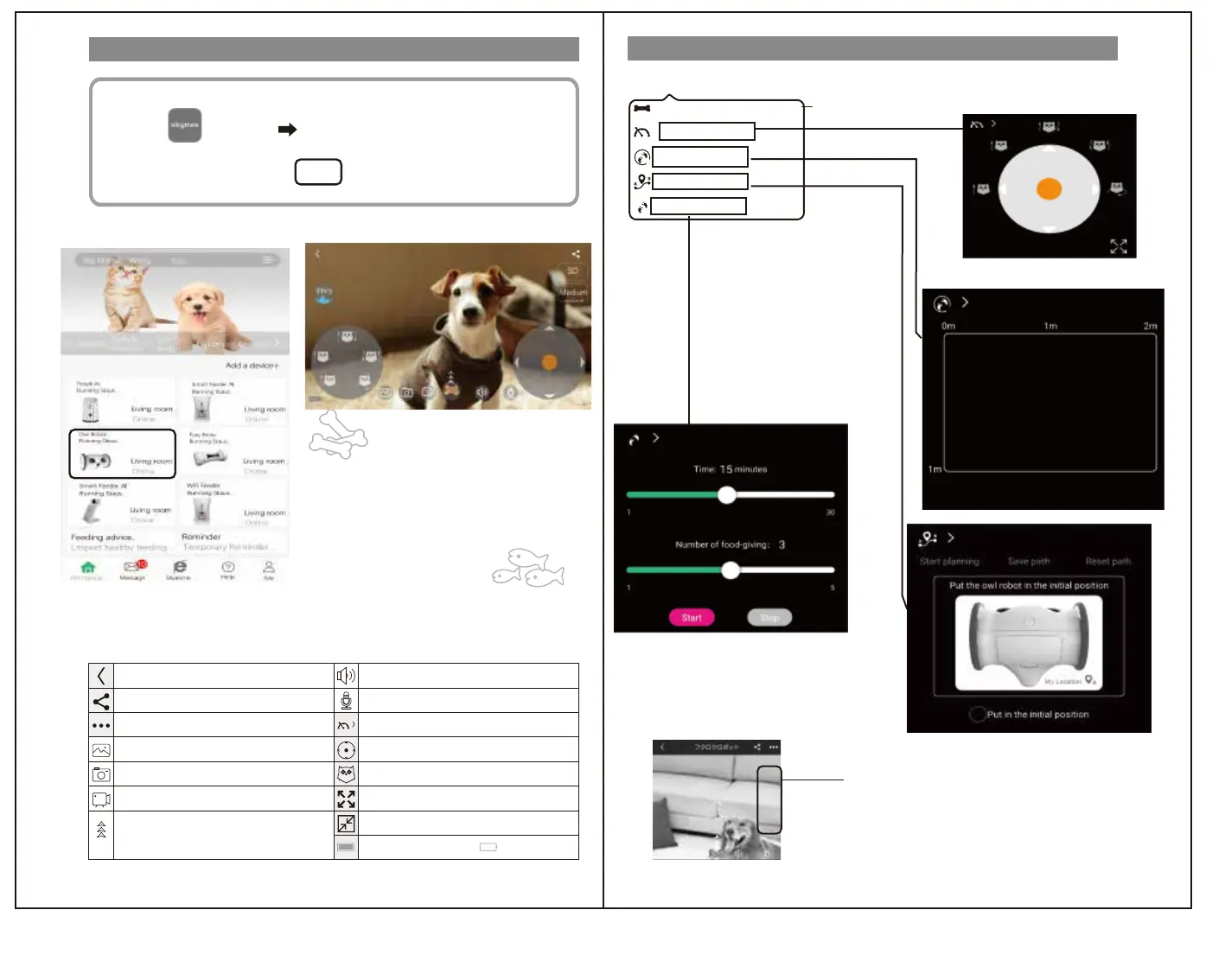
Control the Fury bones
Trajectoty walking
Automatic Cruise
Walk freely
This function is not used on this product
Menu screen ①
Menu screen ②
Tap the icon ♪
Take a picture♪
Move the owl robot♪
☆ Let's operate freely and play with your pet ☆
Play the photos and videos you have taken
Take a photo
Take a video
おやつをあげます
矢印に沿ってスワイプしてください
Listening
Speaking
360° go in the direction of the arrow
5 types of motion
Full screen
Display
Automatic operation menu display
①"Skymee" icon from the app list
Tap to start the app.
②After logging in, the home screen
will be displayed.
Tap "Owl Robot",
the menu screen is displayed.
98%
Battery capacity( Charging)
Usually
Full screen
Display normally
Display icon operation details
Device settings
Share
Display
*Images and videos will be saved on your mobile device.
はじめに
はじめに
アプリ登録
アプリ登録
無線LAN接続
操作方法
操作方法
安全のために
安全のために
無線LAN接続
*In case of IOS, the battery level is displayed in the upper right of the screen.
●Iftheimageisscratchy,tap★torequireWi-Fi
Pleasemakesurethatthelinespeedisreached.Line
Ifthespeedisslow,switchtonormalmodeorlowertheresolution
Thenitwillbesmooth.
★
Menu screen display method
*See page 16 of this document *See page 15 of this document
Driving an owl robot


 To Next Page
 Loading...