4. The driver installation.
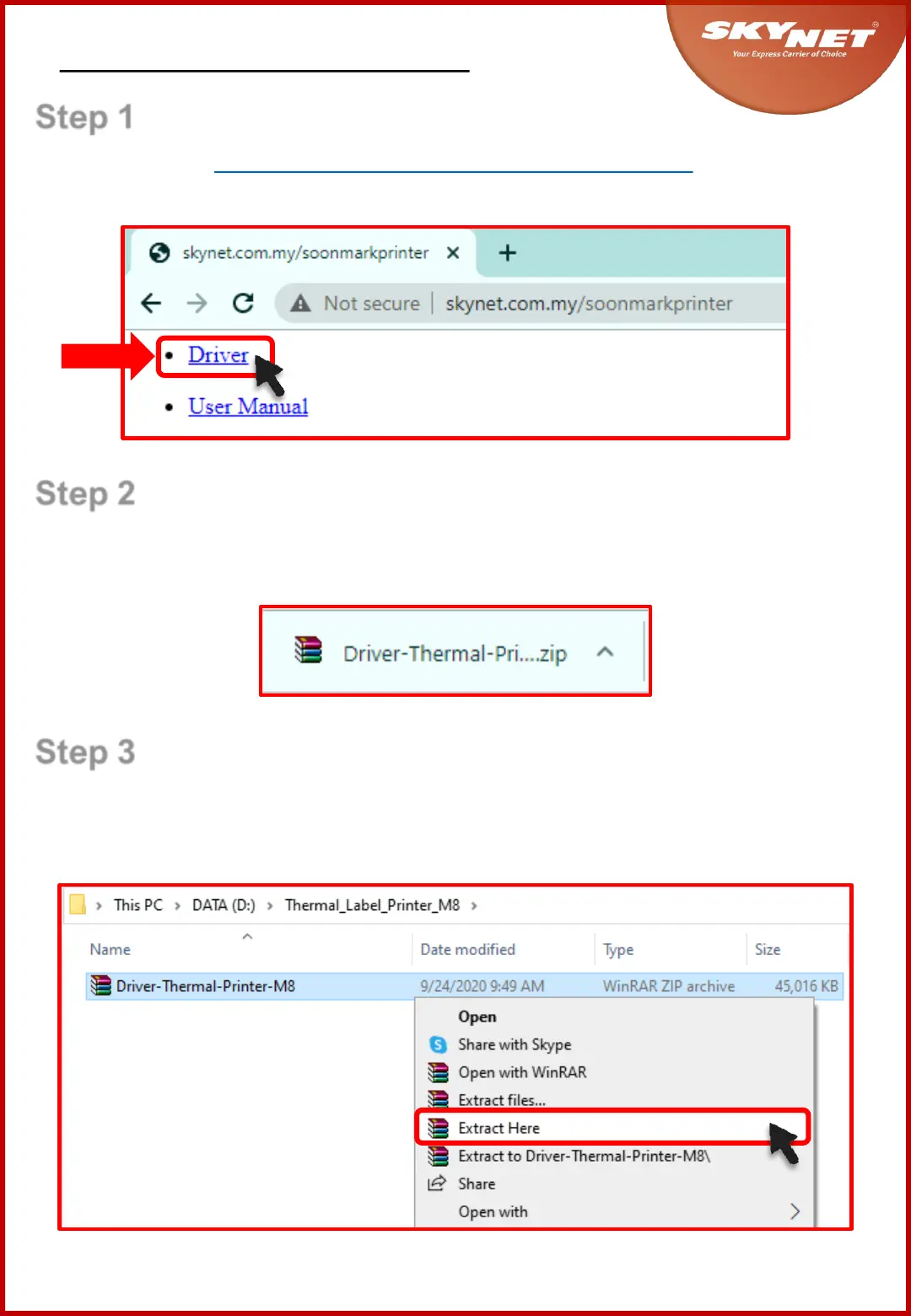
Step 2
This driver will download as a zip file. Kindly save this
zip file at any folder inside your PC/Laptop.
Step 3
To unzip the file, right-click at the zip file and choose
‘Extract Here’.
Step 1
Click here: skynet.com.my/soonmarkprinter
and select the ‘Driver’ as shown.
7



 To Next Page