Sensor detector
D) Printer setting
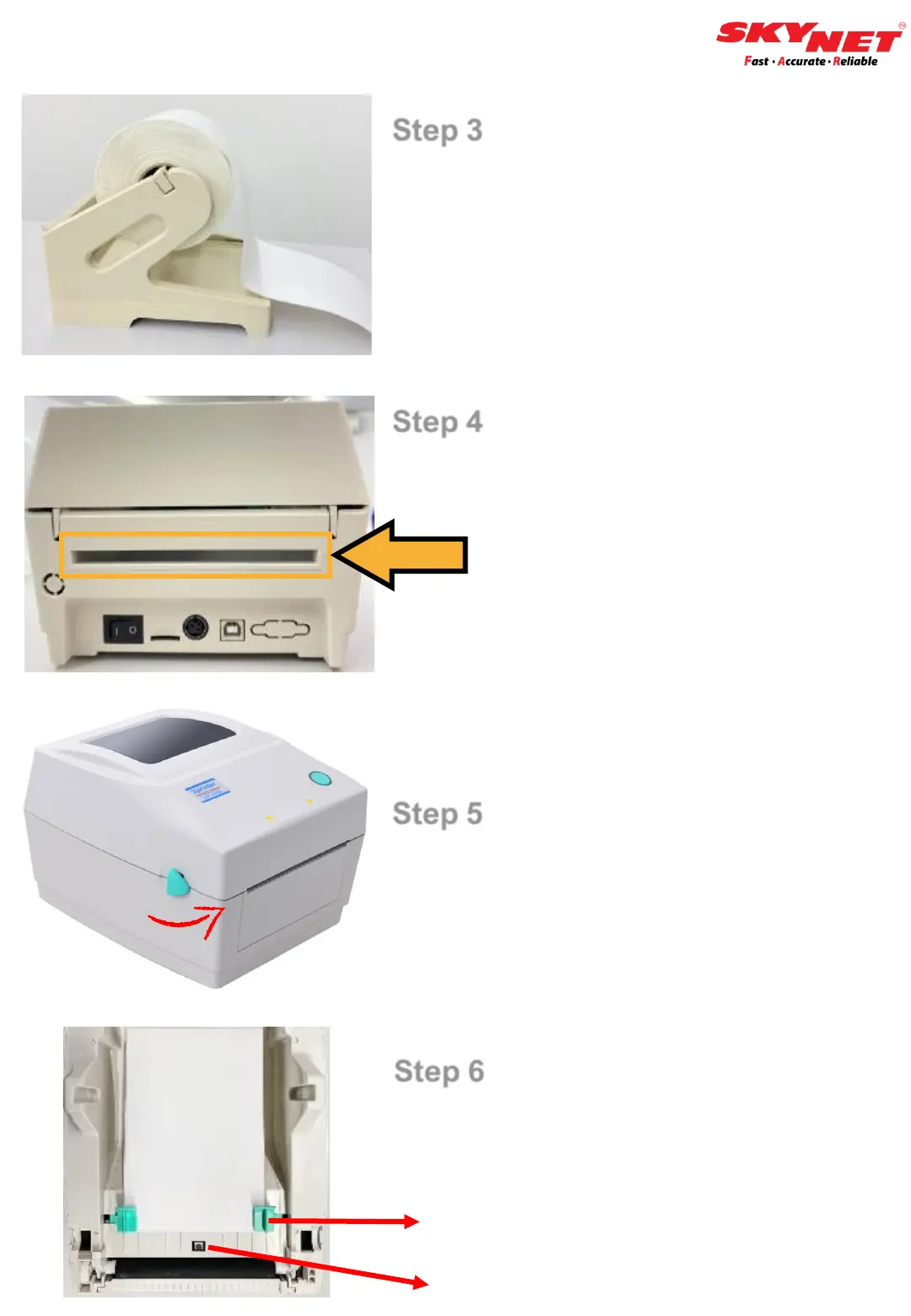
Step 3
Use external roll mount to insert the
paper because the paper roll are
tick.
Step 4
Insert the paper from the back of the
printer.
Step 5
Hold both sides and push upward to
open the top cover.
Step 6
Use the clips on both sides to secure
the paper. Then, close the top cover.
Secure clips
8


 To Next Page