EasyManua.ls Logo

Skypatrol SP1824 - User Manual

Skypatrol SP1824
12 pages
Print Icon
To Next Page IconTo Next Page
Loading...
1 / 12
Skypatrol SP1824 User
Manual V2.0
Updated by 2022-9-10
Question and Answer IconNeed help?

Do you have a question about the Skypatrol SP1824 and is the answer not in the manual?

Overview

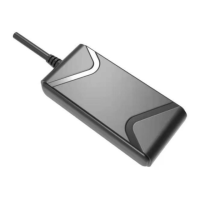
The Skypatrol SP1824, also referred to as the AT100, is a 4G CAT1 tracking device designed for positioning, monitoring, alarm, and tracking functions. Its compact size facilitates ease of use and operation, making it suitable for vehicles and other mobile objects. The device supports a wide voltage range, allowing it to be used with motorcycles and electric vehicles.

Function Description:

The AT100 integrates several key functionalities to provide comprehensive tracking and security. Its primary purpose is to offer real-time location and tracking services for mobile assets. Beyond basic positioning, it incorporates various alarm features to enhance security and user awareness. The device is capable of remote engine cut/recovery, which is a critical security feature for vehicle immobilization. It also provides vehicle mileage statistics, allowing for better management and tracking of vehicle usage. Remote configuration via SMS/GPRS and remote firmware upgrades (OTA) ensure flexibility and ease of maintenance.

Important Technical Specifications:

  • Model Name: Skypatrol SP1824 (AT100)
  • Network: 4G CAT1 (SIMCOM)
    • Optional SIMCOM Modules:
      • A7670C: LTE-FDD (B1/B3/B5/B8), LTE-TDD (B34/B38/B39/B40/B41), GSM (900/1800 MHz)
      • A7670E: LTE-FDD (B1/B3/B5/B7/B8/B20), GSM (B3/B8)
      • A7670SA: LTE-FDD (B1/B2/B3/B4/B5/B7/B8/B28/B66), GSM (B2/B3/B5/B8)
      • A7670(OPEN): LTE-FDD (B1/B3/B5/B8), LTE-TDD (B34/B38/B39/B40/B41)
  • Color: Black
  • GPS Module: XM1010/AT6558D
  • Working Voltage: 9V~95V DC
  • Working Current: Approximately 50mA @ 12V
  • Standby Current: Approximately 10mA @ 12V
  • Back-up Battery: 140mAh (optional)
  • Back-up Battery Working Time: About 2 hours
  • Tracker Size: 80mm x 38mm x 17mm
  • Tracker Weight: Approximately 50g
  • Working Temperature: -20°C to +75°C
  • Moisture: 10% - 85%
  • Locate Sensitivity: 10m
  • Locate Time: Hot start (average): <1s, Cold start (average): <32s
  • GPS Sensitivity: -162dBm
  • GPS Frequency: L1:1575.42 ± 1.023MHz
  • LED Indicator: Yellow/blue two-color LED to show power/GSM/GPS status.
  • Blind Area Data Storage: 5000 records

Usage Features:

The AT100 is designed for straightforward installation and operation, though it requires some knowledge of car electronics for proper setup.

  • SIM Card Requirement: The device relies on a SIM card with 4G/GPRS data transmission and SMS functions. The SIM card is not included and must be prepared by the user. It is crucial to ensure the SIM card has sufficient balance and is activated for network connectivity. The SIM card should not be installed or removed while the device is powered on to prevent damage.
  • Power Supply: Supports a wide voltage input from 9V to 95V DC, making it versatile for various vehicle types. Operating outside this range may lead to improper device function.
  • Installation:
    • Preparation: Before installation, users should verify the package contents against the packing list. Necessary items include the AT100 device, a local GPRS SIM card, and a 12V/24V DC power supply.
    • Positioning: The device can be installed in two ways: hidden or open. For special-purpose vehicles, hidden installation is recommended. Suggested hidden locations include within the dashboard below the front windshield glass, around the front instrument panel (avoiding metal covers), or under the dashboard below the rear windshield glass. To ensure optimal GPS signal reception, the side with the LED indicator should face the sky, and there should be no metal obstructions above it. Metal thermal-protective or warm-up coatings on the windshield glass can dampen GPS signals, requiring a change in installation position. For open-type installation, Velcro tape can be used to fasten the device below the front windshield glass.
    • Connection: The device features a 4-PIN connector for power and ACC (Red for Power (9-95V), Black for GND, Orange for ACC, Yellow for OUTPUT (relay)). An optional 2-PIN connector is available for SOS functionality (White for SOS+ and White for SOS-).
  • LED Indicators:
    • GSM Status (Yellow/Orange):
      • Light static: GPRS communication normal, Online.
      • Fast blinking (2s blink once): Initializing.
      • LED OFF: GSM in sleep/device OFF.
    • GPS Status (Blue):
      • Light static: GPS Located.
      • Fast blinking (2s blink once): Finding GPS signal.
      • LED OFF: GPS in sleep.
  • Commands (SMS-based): The device supports a range of SMS commands for configuration and control, including:
    • AT%TEST=*1234,280*1#: Enable log.
    • AS1234*269#1,IP,Port,Type#: Set server IP/Port (e.g., AS1234*269#1,120.24.225.253,5577,1#).
    • AS1234*269#1,URL,Port,Type#: Set server URL/domain (e.g., AS1234*269#1,tracking.skypatrol.com,5577,1#).
    • AS1234*269#12,IP2,Port2,Type2,X#: Set secondary IP (IP2) with options to close, work same as IP1, or act as a backup.
    • AS1234*269#12,URL2,Port2,Type2,X#: Set secondary URL (URL2).
    • AS1234*269#2,DeviceID#: Set device ID.
    • AS1234*269#3,APN,User,Pass#: Set APN.
    • AS1234*269#B#: Restart device.
    • AS1234*269#F#: Factory reset (resets all parameters except IP/Port/ID/APN).
    • AS1234*269#C#: Check connection info (returns device ID, network status, GPS status, located satellites, timezone).
    • AS1234*269#4,NewPassword#: Change SMS password.
    • AS1234*269#9,X#: Set angle upload threshold (X in degrees, e.g., AS1234*269#9,30#).
    • AS1234WHERE2#: Position query (returns Google Maps link).
    • AS1234*269#I,SX#: Open/close sleep mode (X=0 for close, X=1 for open). When open, the device enters sleep mode 5 minutes after ACC off and wakes up on ACC on, alarm, or SMS trigger.
    • AS1234*269#V#: Check firmware version.
    • AS1234*269#5,Num1,Num2,Num3#: Set authorized SIM numbers.
    • AS1234*269#P#: Query authorized SIM numbers.
    • AS1234ENGINE:OFF#: Immobilize engine immediately.
    • AS1234*269#O1,1#: Cut fuel with condition (if speed > 30km/h, do not immobilize; if speed <= 30km/h, immobilize with duration and cut oil after 30s).
    • AS1234ENGINE:ON#: Recover fuel immediately.
    • AS1234*269#O1,0#: Recover fuel with condition (if speed > 30km/h, do not recover; if speed <= 30km/h, recover with duration).
    • AS1234*269#I,Ex/Wx#: Set timezone (X is 0-12, E for East, W for West, e.g., AS1234*269#I,E8#).
    • AS1234*269#7,x,y#: Set ACC ON/OFF upload interval (x for ACC ON, y for ACC OFF).
    • AS1234SPEED:x,y#: Set overspeed alarm (x is speed in km/h, y is duration trigger time in seconds).
    • AS1234*269#m,x#: Set mileage value (x is mileage in KM).
    • AS1234*269#T# or AS1234*269#S#: Check IMEI.
    • AS1234*269#d,x#: Upload by distance (x is distance in meters). If enabled, both distance and time-based uploads work.
    • AS1234*269#L,1,X#: Set mileage ratio (X range: 100-200).
    • AS1234*269#L,0#: Check mileage ratio.
    • AS1234*269#OS,x,y#: Set overspeed alarm (x is speed value, y is duration trigger time in seconds).
    • AS1234*269#mv,x#: Set move alarm (ACC OFF) (x is move distance in meters, ACC OFF, x > 100m).
    • AS1234*269#i,x,y#: Set idle alarm (x is idle speed, y is duration in minutes).
    • AS1234*269#*M,x#: Enable position ACK (X=1 for open, X=0 for close).
    • AS1234*269#a1,X#: Set harsh accelerate (X is default accelerate in km/h/s).
    • AS1234*269#a2,X#: Set harsh brake (X is default decelerate in km/h/s).
    • AS1234*269#a4,x,y,z#: GPS harsh corner (x is speed in km/h, y is angle, z is duration time). Requires firmware update.
    • AS1234*269#a#: Query harsh parameters.
    • AS1234*269#W,IP,Port,Type#: OTA CMD for remote firmware upgrade.
    • AS1234*269#R#: Check alarm parameters (returns current settings for distance upload, overspeed, idle, move alarm distance, sleep mode, position ack, ACC ON/OFF, SOS, main power).
    • AS1234*269#K,x#: Set heartbeat interval (x in seconds).
    • AS1234*269#K#: Query heartbeat interval.
    • AS1234*269#*y,x#: Set mileage unit (X=0 for KM (default), X=1 for 0.1km).
    • AS1234*269#0,a,b,c,d#: ACC detect by speed (a=SPEED for trigger ACC ON, b=speed duration time for trigger ACC ON, c=speed for ACC OFF, d=speed duration time for trigger ACC OFF). Command code is '0' (number zero).
    • AS1234*269#0#: Query ACC detect by speed parameters.
    • AS1234*269#ESMS,A,B,C,D,E,F,G,H,I,J,K#: SMS alarm enable/disable for various events (A=Over-speed, B=ACC ON, C=ACC OFF, D=Idle, E=Move, F=Enter Geo-fence, G=Exit Geo-fence, H=Harsh accelerate, I=Harsh decelerate, J=Harsh corner). 1=enable, 0=disable.
  • Serial Port Configuration: The device can be configured via a serial port using a USB connection and tools like SSCOM. The default Baud rate is 115200. To enable logging, the command AT%TEST=*1234,280*3# is used.

Maintenance Features:

  • Remote Firmware Upgrade (OTA): The AT100 supports remote firmware updates, allowing for easy maintenance and feature enhancements without physical access to the device.
  • Remote Configuration: Most device settings can be configured remotely via SMS or GPRS commands, simplifying management and adjustments.
  • Fault Analysis: The manual provides a common fault analysis section to help diagnose issues:
    • Can't get online: Possible causes include abnormal power supply, SIM card issues (no balance, no GPRS, incorrect installation), incorrect settings (IP, Port, ID, APN wrong), weak GPRS signal, or server issues.
    • Can't get location: Possible causes include weak GPS signal or incorrect installation where the antenna side does not face the sky.
  • Disclaimer: The product is intended as an assistant tool for security only and does not guarantee prevention of all types of theft or malicious damage. Users are advised to maintain vigilance and security awareness even after installation. The manufacturer disclaims responsibility for any loss beyond the product itself.

Skypatrol SP1824 Specifications

General IconGeneral
BrandSkypatrol
ModelSP1824
CategoryGPS
LanguageEnglish