EasyManua.ls Logo

SkyScan 81690 - User Manual

SkyScan 81690
14 pages
Print Icon
To Next Page IconTo Next Page
Loading...
WIRELESS WEATHER STATION
Model 81690
USER'S INSTRUCTIONS
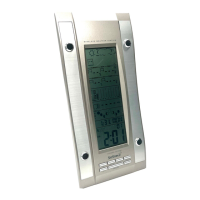
The multifunctional weather station is equipped with many functions providing thorough weather
information to you. The receiver unit has a clear, easy-to-read display that shows weather forecast,
indoor temperature, relative humidity, pressure, moon phase, time and date, as well as the
temperature and relative humidity measured and transmitted by the sensor. It is able to receive and
display readings from up to 3 remote sensors.
The receiver unit retains the minimum and maximum temperatures and relative humidity readings
measured at various locations. The 433 MHz technology means no wire installation is required and
you can place the sensors anywhere you like.
With radio controlled function, the current time and date are automatically synchronized with the
time signal transmitted from the atomic clock in FT. Collins, Colorado. The signal can cover a
distance of about 2,000 miles.
Question and Answer IconNeed help?

Do you have a question about the SkyScan 81690 and is the answer not in the manual?

Summary

Wireless Weather Station Overview

Product Introduction and Features

Provides an overview of the weather station's functions and capabilities.

Main Unit Button Operations

Alarm and Snooze Functionality

How to activate, set, and manage alarm and snooze features.

Time and Channel Navigation

Functions for setting time, viewing dew point, and switching channels.

Snooze and Signal Reception Control

Using snooze and controlling radio reception for the clock signal.

Main Unit Features and Display Windows

Time Zone and Record Access

Selecting time zones and viewing max/min temperature/humidity records.

History, Unit Conversion, and Reset

Accessing pressure history, changing units, and resetting the device.

Key Display Windows Explained

Descriptions of windows for weather forecast, temperature, humidity, and pressure.

Additional Display Functions and Transmitter Components

Calendar, Clock, and Moon Phase Displays

Details on displaying calendar, time, and moon phase information.

Transmitter Unit Components

Identification of transmitter parts like LED, LCD, switches, and battery compartment.

Transmitter Setup and Battery Installation

Transmitter Configuration Steps

Guide to setting transmitter channels, temperature units, and installing batteries.

Main Unit Battery Installation

Instructions for inserting batteries into the main weather station unit.

Receiver Initialization and Signal Strength

Receiver Reset and Synchronization

Steps to reset the receiver and ensure proper synchronization with transmitters.

Radio Controlled Time Signal Reception

Explanation of how the device receives and displays time from atomic clocks.

Signal Strength Indicator Interpretation

Understanding the different levels of signal quality.

Time Zone and Manual Time Setting

Manual Time and Date Adjustment

Procedure to manually set time, date, and weekday language if radio signal is lost.

Alarm and Temperature Alarm Setup

Alarm and Snooze Activation

How to turn alarm and snooze on/off, and set alarm times.

Temperature Alarm Configuration

Setting up a temperature-dependent alarm for cold conditions.

Temperature and Humidity Records

Checking and Clearing Max;Min Records

Instructions for viewing and deleting stored maximum and minimum temperature/humidity values.

Weather Trends and Forecasts

Interpreting Weather Trends and Forecasts

Understanding trend arrows and weather forecast icons for the next 12-24 hours.

Pressure History and Moon Phase

Viewing Past Pressure Records

How to display and interpret the barometric pressure changes over the last 24 hours.

Moon Phase and Tide Information

Explanation of the 8 moon phases and their relation to tide levels.

Battery Status and Mounting

Low Battery Indicators

How the unit signals when batteries need replacement.

Table Stand and Wall Mounting

Instructions for placing the unit on a table or mounting it on a wall.

Technical Specifications

Main Unit and Remote Sensor Specs

Detailed technical data for the main unit and the remote sensor.

Power, Dimensions, and Warranty

Power, Battery Handling, and Dimensions

Specifications for power, battery care, and physical dimensions of the units.

Product Warranty Information

Details on the two-year warranty, coverage, and limitations.

SkyScan 81690 Specifications

General IconGeneral
Display TypeLCD
Humidity Range1% to 99%
TypeWireless Weather Station
Radio Frequency433 MHz
Atomic Clock SynchronizationYes
Forecast IconsYes
AlarmsYes
Moon PhaseYes
Wireless Range330 feet
Power SourceBattery
Temperature Range-40°F to 140°F (-40°C to 60°C)

Related product manuals