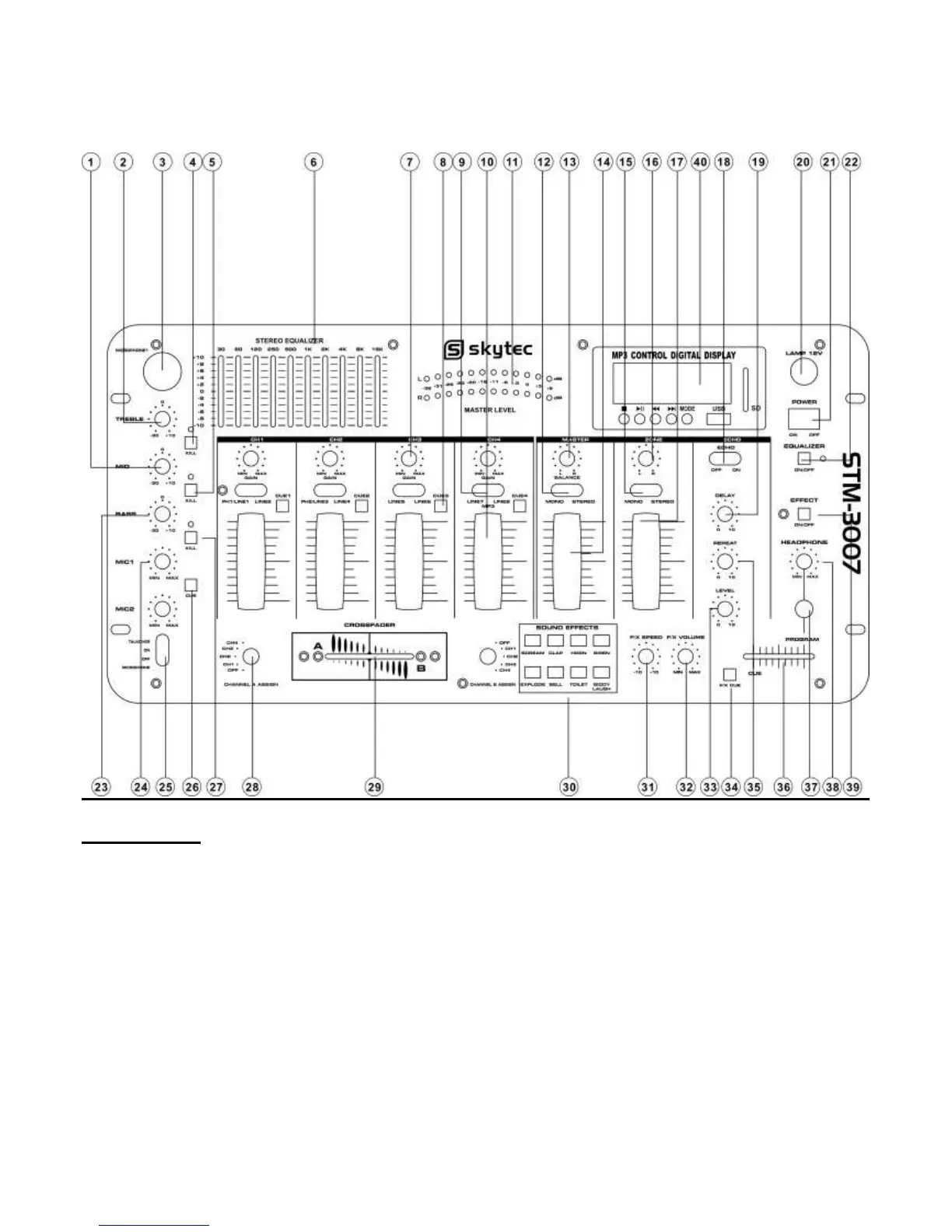
Front Panel
1)MIC MID
This knob adjusts the middle tone of the microphone.
2)MIC TREBLE
This knob adjusts the high tone of the microphone.
3)MIC INPUT JACK
Connect your MIC at this location.
4)KILL FOR TREBLE
Press it to kill microphone trreble volume, and indicator light.
5) KILL FOR MID
Press it ro kill microphone middle volume, and indicator light.
6) EQUALIZER
Allow you to tailor the mixer output to suit be cut or boost by up to 10dB.
7) CHANNEL GAIN
This rotary control adjusts theinput level.


 To Next Page