46
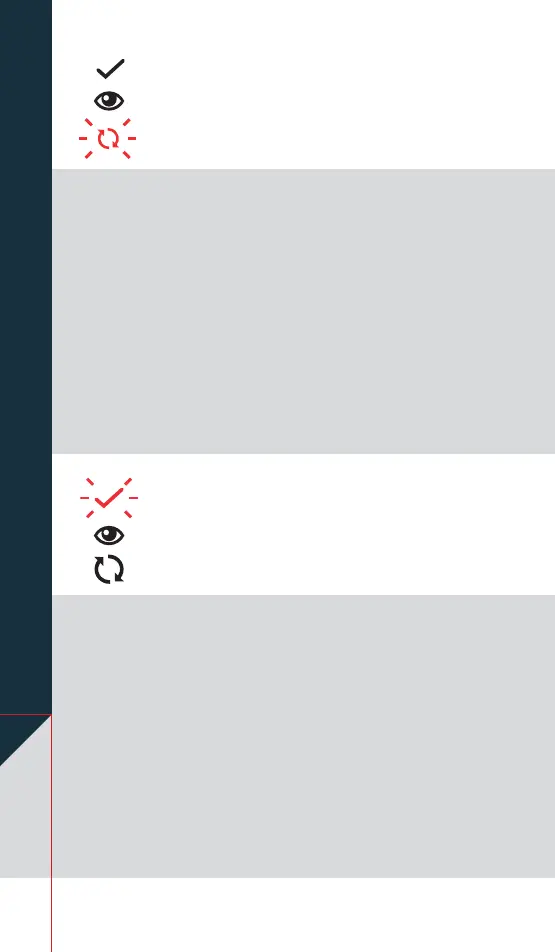
Either an injection error has happened (the needle
is not screwed on tightly, or it is bent or blocked), or
you have canceled the injection, or the auto-injector
has canceled an injection that was not completed
within 15 minutes.
Do this: Remove the cartridge and wait for the
auto-injector to turn off. Start again with a new,
unused cartridge and make sure to screw on the
needle straight and tightly.
Read more
b
page 14.
You seeDŴDVKLQJ red mixing icon.
You hear an error sound.
You see DŴDVKLQJ
red check mark icon.
You hear an error sound.
Either you have inserted a used or damaged
cartridge, or you have canceled the mixing, or the
auto-injector has canceled the injection. The auto-
injector cancels the injection 2 hours after automatic
mixing (Step 4, page 20) or 2 hours after manual
PL[LQJ6WHSSDJHLVFRPSOHWHG
Do this: Remove the cartridge and wait for the device
to turn off. Start again with a new, unused cartridge
and make sure to screw on the needle straight and
tightly.
Read more
b
page 14.


 To Next Page