Need help?
Do you have a question about the Slinex SM-07MHD and is the answer not in the manual?
Explains the purpose of each button and the joystick's multi-functionality for settings and operation.
Specifies cable types and sizes for connecting the device based on distance.
Illustrates connection diagrams for outdoor panels, cameras, and locks.
Provides step-by-step instructions for physically mounting the monitor on a wall.
Details the process for answering, talking, and unlocking during an incoming call.
Explains how to monitor live video from outdoor panels and connected cameras.
Describes how to forward incoming calls to another monitor within the system.
Explains how to establish voice communication between multiple monitors.
Overview of accessing and navigating the main menu for system settings.
Details settings for language, date/time, video formats, and storage.
Configuration of ringtones, ring volume, and call volume for outdoor panels.
Configuration of master/slave mode, door status, and recording modes.
Setup for motion detection sensors, camera status, and alarm timing.
Configuration of motion detection using camera feeds, including source, sensitivity, and storage.
Instructions for accessing and playing back video recordings and snapshots.
Guide to using custom MP3 files as ringtones for outdoor panels.
Instructions for displaying JPG images as a photo frame from the SD card.
Explains how to record video or take snapshots manually or automatically.
Details how external motion sensors trigger recording on the monitor.
 General
| Resolution | 1024 x 600 |
|---|---|
| Video signal | PAL/NTSC |
| Number of connected panels | 2 |
| Number of connected cameras | 2 |
| Intercom | Yes |
| Material | Plastic |
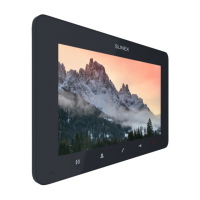
| Display | 7 inch TFT |
| Audio | Built-in speaker and microphone |
| Power Supply | 12V DC |
| Memory card support | MicroSD up to 32 GB |
| Operating temperature | -10 — +60 °C |
| Humidity | 10% - 90% |
| Color | Black |

 To Next Page