Need help?
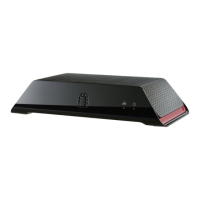
Do you have a question about the Sling Media SlingCatcher and is the answer not in the manual?
Introduction to the SlingCatcher and its capabilities for watching digital video.
Instructions for correctly inserting batteries into the SlingCatcher remote control.
Guidance on positioning the SlingCatcher for optimal remote control visibility and operation.
Steps for connecting audio cables to the SlingCatcher and your audio device (TV, stereo, receiver).
Explanation of SlingCatcher remote control functions and button operations.
Details on specific remote buttons like VOL, Sling, Arrow, and navigation tips.
 General
| Manufacturer | Sling Media |
|---|---|
| Model | SlingCatcher |
| Supported Resolutions | 480i, 480p, 720p, 1080i |
| Video Output | HDMI, Component, Composite |
| Audio Output | Stereo RCA |
| Connectivity | Ethernet, USB |
| Remote Control | Yes |


 To Next Page