
 Need help?
Do you have a question about the Sling Media Slinglink and is the answer not in the manual?
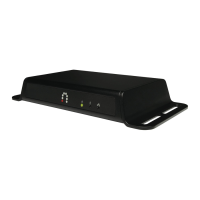
Explains the physical layout and connection options for the PowerLine network.
Details the physical port on the top panel of the PowerLine Bridge.
Describes the LEDs on the front panel indicating network activity and status.
Step-by-step instructions for physically connecting the PowerLine Bridge to a computer.
Guidance on connecting the PowerLine Bridge to a router for shared internet access.
Instructions for installing the PowerLine Configuration Utility software on your computer.
How to launch and navigate the PowerLine Configuration Utility software.
Details the 'Device' screen which lists connected powerline devices and their status.
Explains how to search for powerline devices on the network using the 'Network' tab.
Describes how to set a Network Password for securing the powerline network.
Information regarding the version and build details of the configuration utility.
Provides solutions for frequently encountered issues during installation and operation.
Answers common queries regarding product features, compatibility, and security.
 General
| Brand | Sling Media |
|---|---|
| Model | Slinglink |
| Category | Adapter |
| Language | English |

 To Next Page
