EasyManua.ls Logo

SLX 27820BMR User Manual

SLX 27820BMR
6 pages
To Next Page IconTo Next Page
Page #1 background imageLoading...
Page #1 background image
Support:
www.slxtechnology.com/support
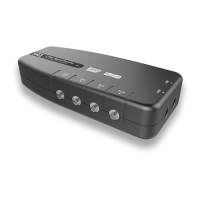
4 Way Signal Booster
with IR Bypass
27820BMR
User Guide
Congratulations on the purchase of your new
SLx Booster. SLx is renowned for producing
high quality electrical accessories and
signal distribution products. Slx Boosters
have a number of features that assist quality
distribution of your TV and/or Radio signals
around your home, including:
More efcient Switch-Mode Power Supply -
these run cooler saving energy whilst also
making them safer in your home
Improved gain atness delivering a better
balance across the performance range
Lower noise gure for optimimum picture
and sound quality
Greater signal handling capacity to cope
with more channels
Coaxial connectors – simple to plug in to
standard aerial connections
We are sure you will enjoy using your SLx
Booster, its easy to install and incorporates
the latest technology for energy efcient,
long-term, continuous use.
If you have any queries please get in touch
with our technical department at
www.slxtechnology.com/support
Additional Features
Dual Inputs – With separate inputs for UHF TV
and VHF (FM and or DAB) Radio and a built-
in signal combiner your signal distribution
system can easily be expanded to include
high quality radio signals in every room.
SLx Bypass boosters have an IR bypass circuit
and are DigiLink compatible, which means
you have the option to control a digital
satellite receiver via a Link-eye in another
room using the original or a compatible
remote control.
SLx Bypass boosters provide 9V DC on every
outlet to power a Link-eye but also have short-
circuit protection to prevent overload. If the
booster detects a short-circuit it will only shut
down the power on the outlet with the short,
all other outlets will continue to function as
normal.
Please Note: To view output from the
satellite RF2 output you will need a TV
with an analogue tuner.
All SLx boosters comply with RED (The Radio
Equipment Directive 2014/53/EU).
Introduction
2
Inputs DigiLink

Questions and Answers:

SLX 27820BMR Specifications

General IconGeneral
BrandSLX
Model27820BMR
CategorySignal booster
LanguageEnglish

Summary

Introduction

Product Features

Highlights benefits like efficient power, improved gain, low noise, high handling capacity, and coaxial connectors.

Additional Features

Advanced Connectivity and Control

Explains dual inputs, DigiLink compatibility for remote control, and IR bypass features.

Power Delivery and Safety

Details 9V DC output for Link-eye and short-circuit protection for safe operation.

Satellite Viewing Requirement

Notes that an analogue tuner is needed on the TV to view satellite RF2 output.

General Safety Precautions

Safety and Fire Prevention

Covers overheating prevention, avoiding water, and keeping away from flames/heat sources.

Electrical Safety

Details on mains plug fitting and using the correct 3 Amp fuse (BS1362).

Installation and Setup

Pre-Installation Considerations

Covers applications, 4G interference, location choice, fixing method, and signal connection best practices.

Sky™™ Digibox Setup

Specific steps for connecting with Sky Digibox, including RF channel reset and handling models without RF OUT2.

Installing your Booster - Aerial Signal Distribution

Aerial Setup Procedure

Connect UHF/FM aerials and then TVs/tuners to the booster's sockets.

Installing your Booster - Satellite Signal Distribution

Satellite Setup Procedure

Connect aerial/FM to booster, RF2 from receiver to booster UHF input, then connect TVs/tuners.

Resetting the RF Channel on a Digibox

Digibox RF Channel Configuration

Step-by-step guide to access installer menu and change RF channel (21-58) for Sky Digiboxes.

Troubleshooting

No Picture or Sound Issues

Check power, connections, and signal path for no picture or sound issues.

Picture or Sound Break-up

Tips for improving picture/sound quality by using better aerials, cables, or attenuators.

Satellite Television Problems

Guidance for satellite picture issues, suggesting checks on dish alignment or transmissions.

Technical Support and Compliance

Technical Support Access

Information on how to contact technical support via website, message, or live chat.

Declaration of Conformity

Statement of compliance with Radio Equipment Directive 2014/53/EU and link to full declaration.

Wall Mounting Template

Provides dimensions for drilling holes for wall mounting the booster.