Need help?
Do you have a question about the Smailo HD 5.0 and is the answer not in the manual?
General safety guidelines for operating the appliance and handling potential hazards.
How to turn on the device and what to expect during startup.
Detailed instructions on charging the navigation system's battery.
Steps for inserting and removing memory cards, including precautions.
Information on supported file formats and data access methods.
How to perform a soft reset on the navigation system.
Recommendations for safe interaction with the navigation system while driving.
Step-by-step guide for installing the device holder on the windshield or dashboard.
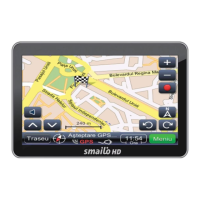
Overview of the display and controls on the front of the device.
Description of ports and indicators on the left side of the device.
Identification of the stylus and other top components.
Identification of the reset button and loudspeaker on the back panel.
Important notes regarding GPS signal reception and device behavior.
How to use the navigation function to set destinations and start routes.
How to adjust the screen's brightness level.
How to adjust the device's audio volume and screen tap sound.
How to access and utilize the Bluetooth interface and its features.
Process for pairing the navigation system with a mobile phone via Bluetooth.
How to change the name of the navigation device for Bluetooth identification.
How to change the Personal Identification Number for Bluetooth pairing.
Steps to establish a connection with a paired Bluetooth device.
Steps to terminate a connection with a Bluetooth device.
How to use the dial pad for making phone calls.
How to access and view the phone contact list.
How to view the history of placed and received calls.
Information on using Advanced Audio Distribution Profile for audio streaming.
How to download and view SMS messages from a paired phone.
Information about the Dial-Up Networking service.
How to enable or disable the Bluetooth functionality.
Explanation of the number keys, backspace, volume, and speech switch buttons.
How to hang up a call and initiate a new one using the dial phone button.


 To Next Page
 General