Operations
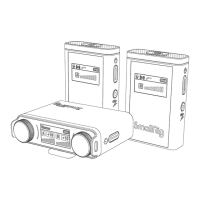
1.Switch button: long press to power on/ off. "SmallRig" logo
appears on the LCD screen after power on. In power on mode, for
each short press, the audio output switches between
mono/stereo, and the display will show "Mono" / "Stereo".
2. Gain adjustment: through the group A volume adjustment
knob, rotate it clockwise to increase the volume, and vice versa to
reduce the volume. Through group B volume adjustment knob,
rotate it clockwise to increase the volume, and vice versa to
reduce the volume. The gain is displayed in three colors, in which
green means below -12dB, yellow means -12dB ~ 0dB, and red
means above 0dB.
3. Manual pairing: the volume adjustment button on the RX is
used as a pairing button when pressing. When the volume
buttons of groups A and B are pressed simultaneously, the
receiver enters the pairing mode (for TX, long press the pairing
button). At the same time, the group information is flashing on
the display, until it is paired with the transmitter (TX) . After
connecting to the transmitter, the group information is of reverse
display, otherwise hollow display, in black font In pairing mode,
press any button to exit.
4. Charging function: the RX can be charged by connecting the
cable through the storage case or directly through the USB-C
charging cable, with charging dynamics displayed on the LCD
screen while charging.
② Receiver battery capacity
③ Microphone audio bar of channel A / Microphone audio
bar of channel B
④ Channel A output volume / Channel B output volume


 To Next Page