ENEN
Overview
•
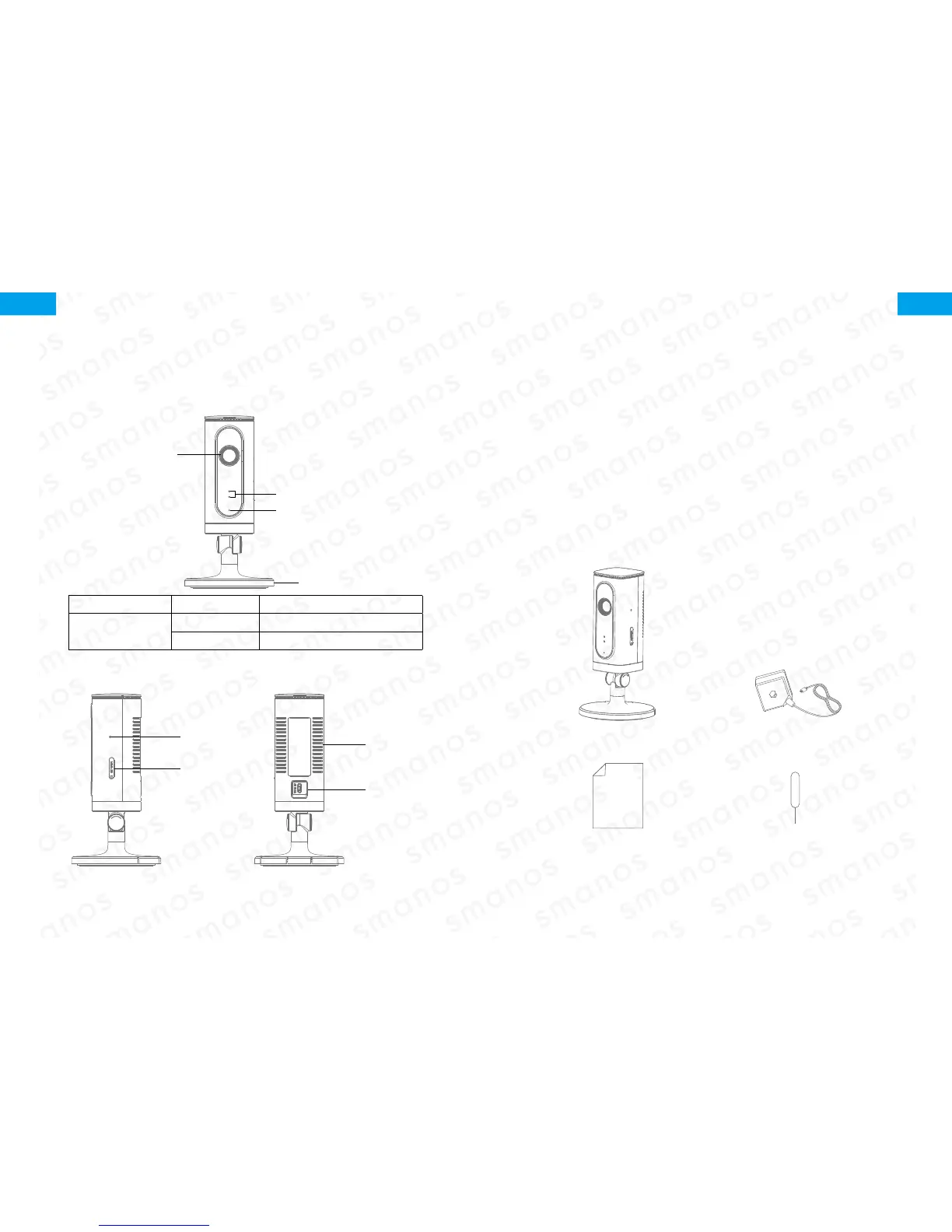
Front View
LED Indicators
Camera
Microphone
Bracket
Red indicator Blinking Enter WiFi pairing state
Blue indicator
Blinking Searching network
On Network connected
•
Side View
•
Back View
Reset Button
microSD
Card Slot
Heat Vent
Power Jack
microSD Card (Not included)
Support 32GB microSD card maximum; please do not insert the
card after the camera is powered on.
This camera automatically records and saves video once every
20 minutes; the video recorded at the earliest will be replaced with
the latest ones if the microSD card is full.
Note: Please format your microSD card before inserting into this slot if any
le had been written in.
Check What You Have
WiFi Camera×1 AC Adapter×1
Quick Guide×1 Reset Pin×1


 To Next Page