
 Need help?
Do you have a question about the Smanos IP6 and is the answer not in the manual?
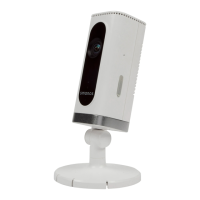
Details the components and indicators of the camera's front view.
Details the components of the camera's side view.
Details the components of the camera's back view.
Prepare the camera by holding the reset button and selecting the WiFi network.
Generate and share a QR code for viewing or controlling the camera remotely.
Manage administrator and user authority for accessing the camera.
Ensure the camera's time is synchronized with your phone.
 General
| Viewing Angle | 90° |
|---|---|
| Night Vision | Yes |
| Night Vision Distance | Up to 8 meters |
| Motion Detection | Yes |
| Storage | MicroSD card (up to 32GB) |
| Connectivity | Wi-Fi |
| Wireless Standard | IEEE 802.11b/g/n |
| Wireless Security | WEP, WPA, WPA2 |
| Power Supply | DC 5V/1A |
| Operating Temperature | -10°C to 50°C |
| Weather Resistance | No |
| Image Sensor | 1/4" CMOS |
| Resolution | 720p (1280 x 720) |
| Audio | Two-way audio |
| IR LEDs | 11 IR LEDs |

 To Next Page