8
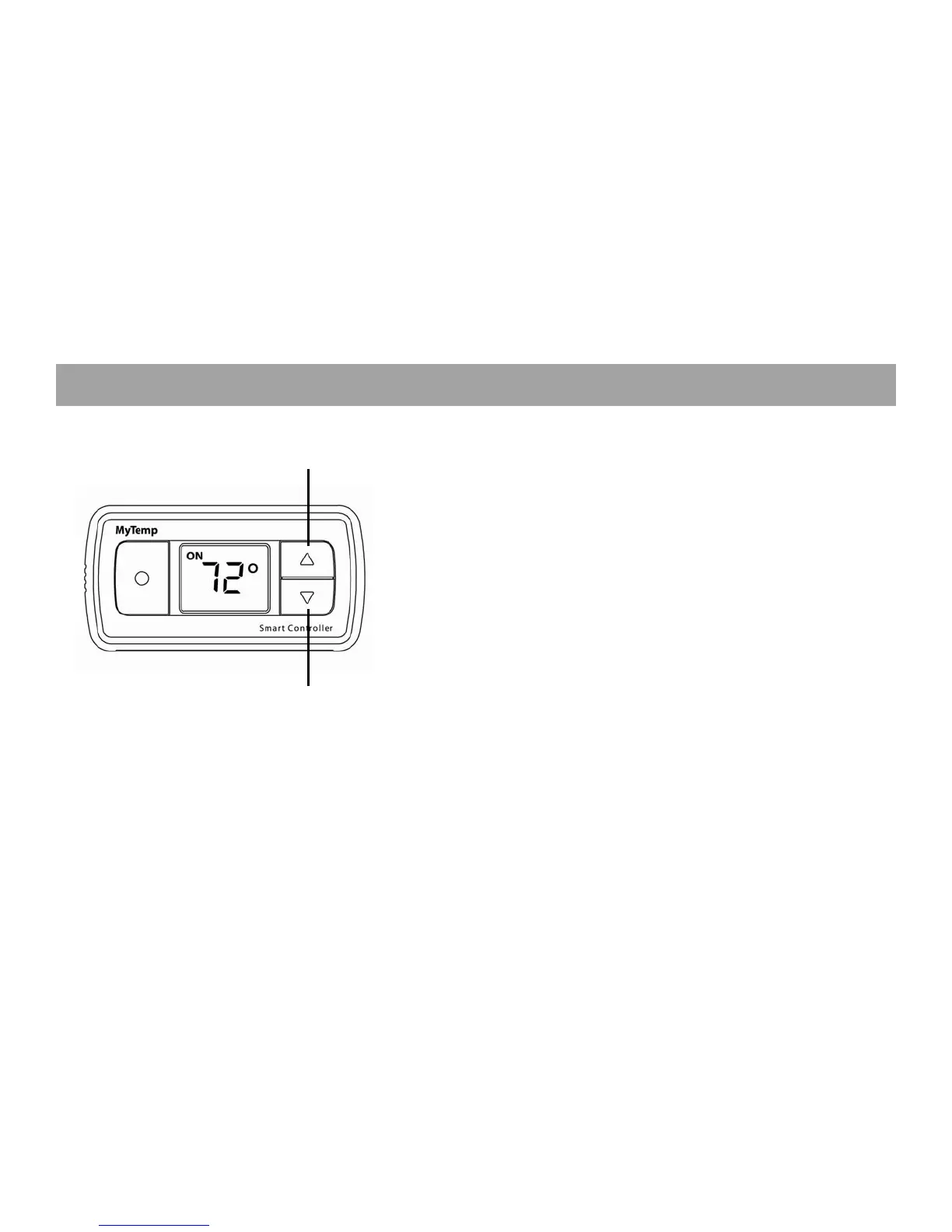
Adjust room temperatures by pressing the up and down buttons on the
Smart Controller. This causes the Smart Controller to enter Set mode,
which means that it is in the process of changing the temperature in the
room. The Smart Controller alternately displays the Set temperature that
you use the up and down arrows to adjust and the current room
temperature.
Cancel Set mode by pressing the On/Saver/Off button.
Set mode completes when the current temperature equals the Set
temperature. By default, this temporary temperature setting lasts for two
hours. If you are constantly adjusting a room’s temperature, you might
consider permanently changing its programmed temperature limits. You
can also adjust the duration of temporary settings. Refer to the MyTemp
System User Manual for details.
Temporarily Adjusting Room Temperature
Decrease Temperature
Increase Temperature


 To Next Page