SMARTRG INC. PROPRIETARY AND CONFIDENTIAL. ALL RIGHTS RESERVED. COPYRIGHT © 2018 136
SIP Star Code Setting
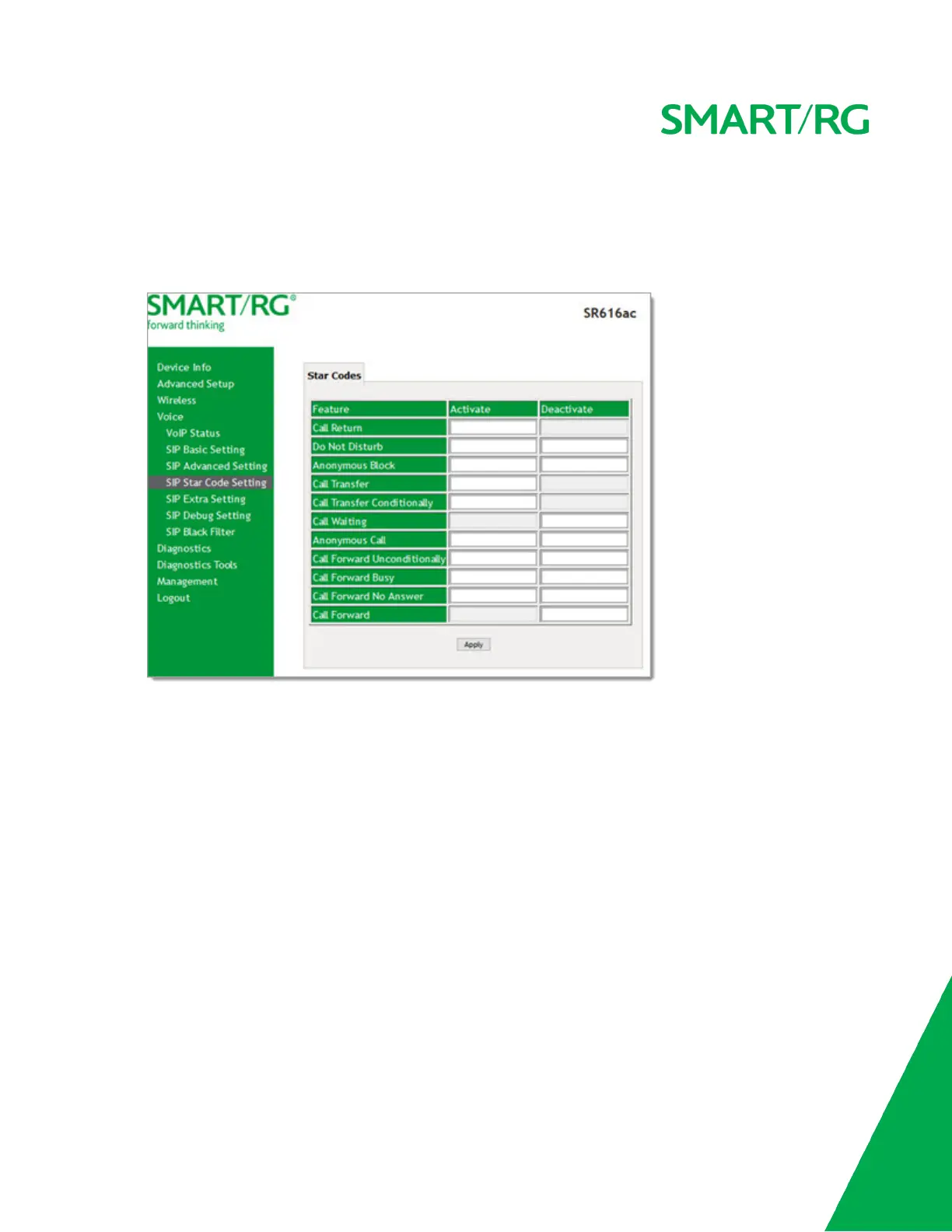
On this page, you can set the numbers that are used with the * key to enable and disable various features.
1. In the left navigation menu, click Voice > SIP Star Code Setting. The following page appears.
2. Enter the numbers that you want assigned to various features. Users press the star (*) key and then enter these
numbers to enable or disable the various calling features.
3. Click Apply to implement your settings.
SIP Extra Setting
On this page, you can set the ring tones and their durations.


 To Next Page