Page 5
Switch block 2
Switch Off On
Sw 1 to
Sw5
Used to set the expander board address number. Expander board 1 is
address 1 (sw 1=ON), expander board 2 is address 2 (sw2=on) etc
Sw 6 Reserved - please leave OFF
Press this switch to clear any errors or whenever a DIP switch settings has been
changed.
Reset Switch
If powering multiple boards from a single power supply it is essential that the 24V and
24C polarity is observed on all boards. Swapping these power wires may damage the
boards - this damage is not covered under warranty.
Power
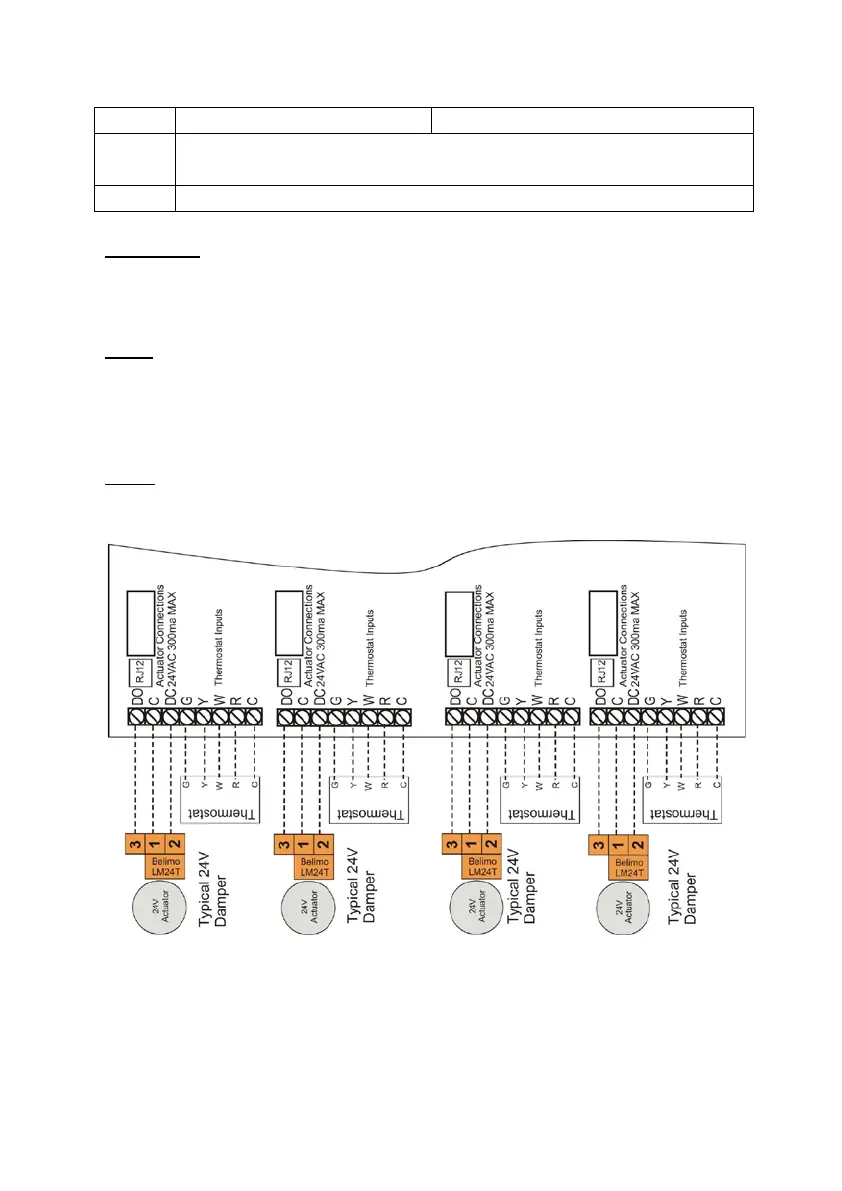
Please use the SZ4 main manual for instruction on wiring the thermostats and
dampers.
Wiring
Advanced capabilities



 To Next Page