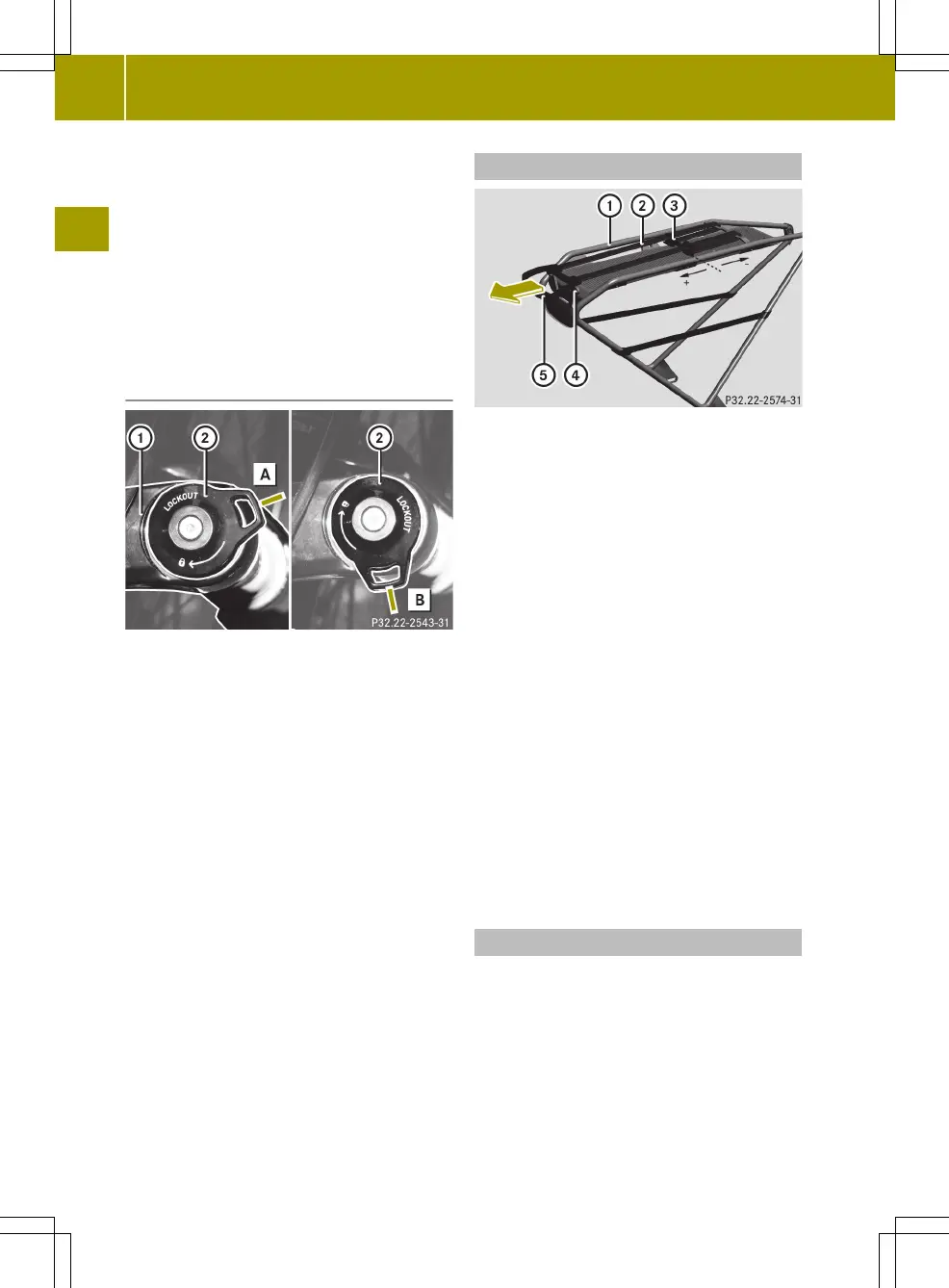
X
To increase rebound damping: turn
adjustment knob ; to the right (towards
the "tortoise").
The suspension fork rebounds more
slowly.
X
To reduce the rebound damping: turn
adjustment knob ; to the left (towards
"hare").
The suspension fork rebounds faster.
Locking the suspension (lockout)
Locking the suspension
d
Suspension free
e
Suspension locked
:
Right fork prong
;
Adjustment knob
When riding uphill or out-of-saddle, it
may be advantageous to lock the suspen-
sion. To prevent damage to the suspension
fork, only use lockout on level surfaces.
X
To lock the suspension: turn adjustment
knob ; clockwise to the stop e.
The suspension fork no longer compres-
ses.
X
To release the suspension: turn adjust-
ment knob ; anticlockwise to stop d.
The suspension fork compresses and
rebounds again.
Expander
:
Bag carrier
;
Expander
=
Bridge
?
Bore holes
A
Grip with pins
Using the expander you can secure items to
the bag carrier
X
To secure items: pull expander ; by
grip A in the direction of the arrow.
X
Place the item on the bag carrier and
secure using the expander. Guide the
pins on grip A into bore holes ?.
The item is secured to the bag carrier by
the tension in the expander.
X
If the tension in the expander is too
great or too small, adjust the tension.
X
To increase the tension: slide bridge =
in the direction of the rear light (+).
X
To decrease the tension: slide bridge =
in the direction of the saddle (-).
Pedal-assist technology
i
If the battery is discharged when
pedal-assist technology is activated,
the display shows EMPTY BATT and LOW
ASSIST alternately. You can continue to
ride without the pedal-assist techno-
logy.
18
Supplement to Original Owner's Manual
>> English.


 To Next Page