5
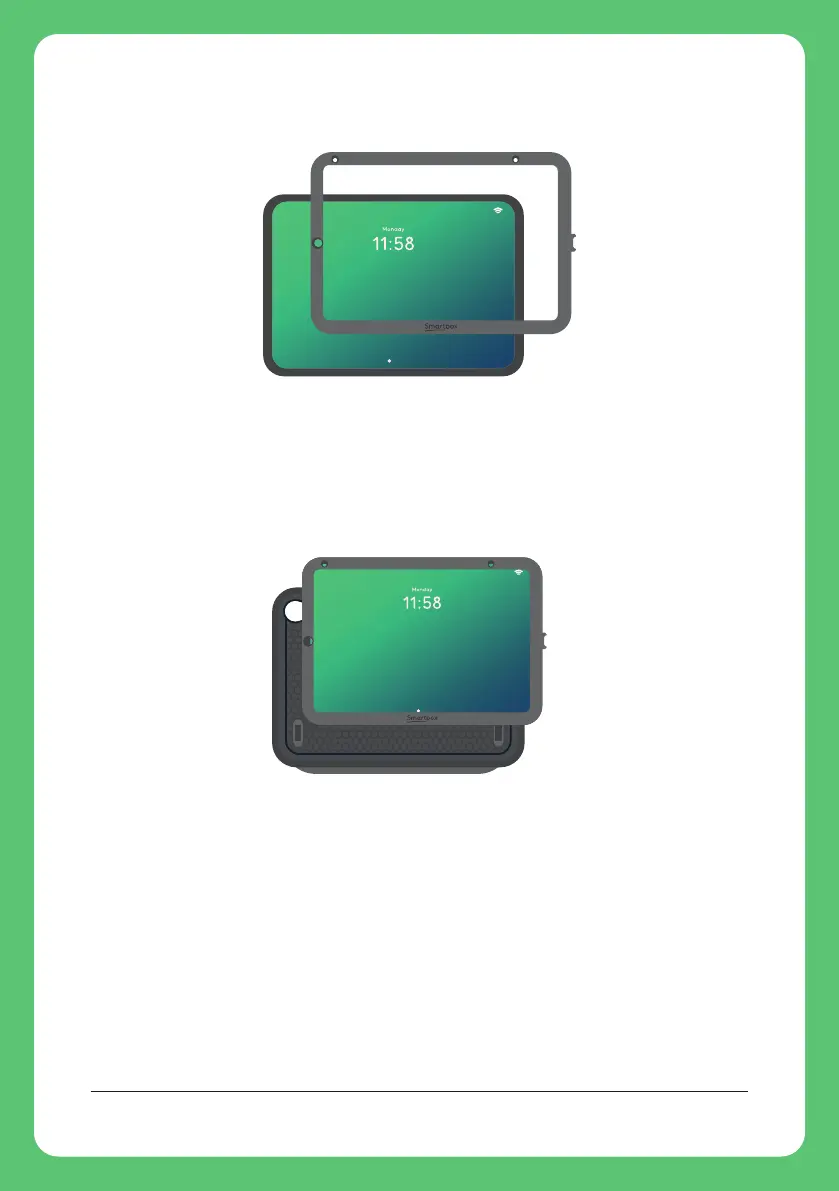
Push the clip frame until it sits flush around the screen.
Place the right edge of your iPad and frame (where the USB
C port is located) into the right edge of the rubber surround.
Tip: You will see the volume buttons of the case line up with
the volume buttons of the iPad
Push the corners into place.
Run your fingers around the edge of the rubber surround to
seal the clip frame into place.


 To Next Page