Smartech HGR-1000
USER GUIDE PAGE 9
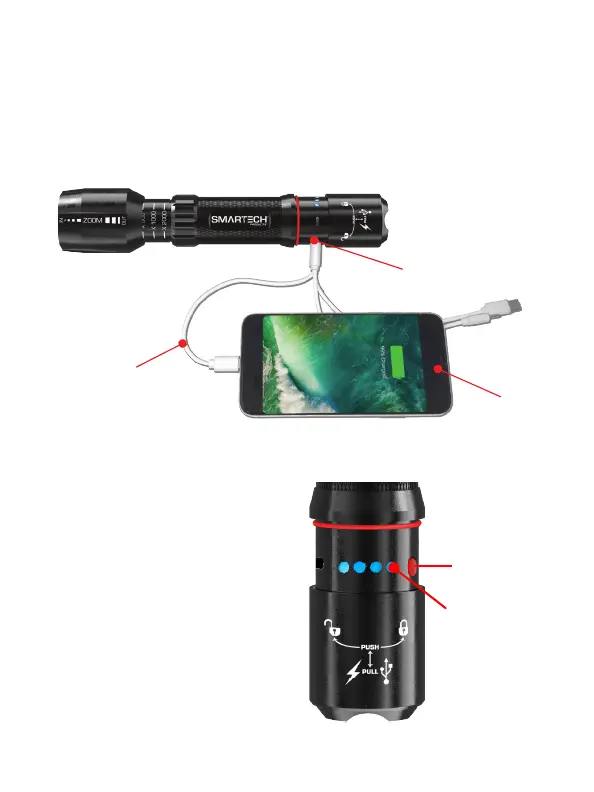
4. Plug the USB end of the multi device USB Output
Cable (included) into the HGR-1000 USB port (for
Apple® products use the original Apple® cable).
5. Plug the compatible end of the multi device USB
Output cable to your USB device. See Figure E.
Multi Device
USB Output Cable
(Included)
HGR-1000
USB Port
Mobile Phone
Checking The HGR-1000 Battery Power Level:
To check the battery level of
the internal lithium battery,
open the bottom of the
ashlight as per the previous
USB section and press the
red battery power check
button. The blue battery
power level indicators show
the internal battery level.
See Figure F.
Figure F.
Battery Power
Check Button
Battery Power
Level Indicators


 To Next Page