Smartech HPR-1500
USER GUIDE PAGE 8
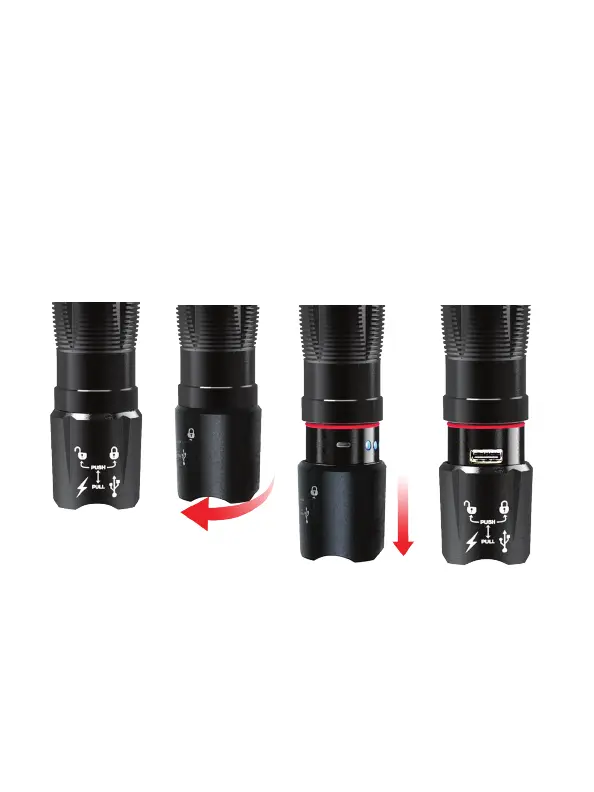
Power/Charge USB Devices:
The HPR-1500 Flashlight includes a USB charge/power
port to charge/power USB devices. See Figure D.
1. 2. 3.
1. Turn the bottom of the ashlight towards the left in
order to unlock it.
2. Pull the bottom of the ashlight down to expose the
charging and USB ports.
3. The USB port is near the smaller charging port.
Figure D.
4. Plug the USB end of the multi device USB Output
Cable (included) into the HPR-1500 USB port, (for
Apple® products use the original Apple® cable).



 To Next Page