35
EN
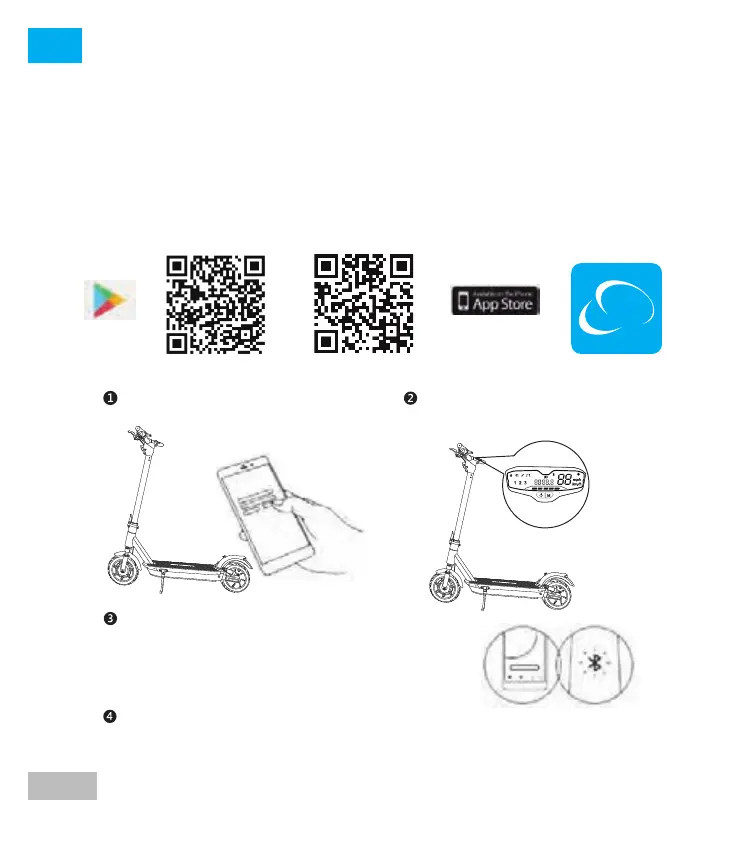
SMARTGYRO - APP
This product has an APP for mobile phones, which allows you to
view SmartGyro information on the mobile, adjustment mode,
accumulation of kilometers, etc...
Turn on the scooter. A Bluetooth icon
will indicate that it is waiting for the
connection
Open the Smartgyro app on your
mobile phone
Click on vehicle - Scan vehicle to connect to
your scooter.
The scooter will beep when connected. The
Bluetooth icon will stop flashing and stay lit
Follow the instructions in the app to activate your password and learn
how to handle it safely





 To Next Page