07
Wi-Fi Resetting
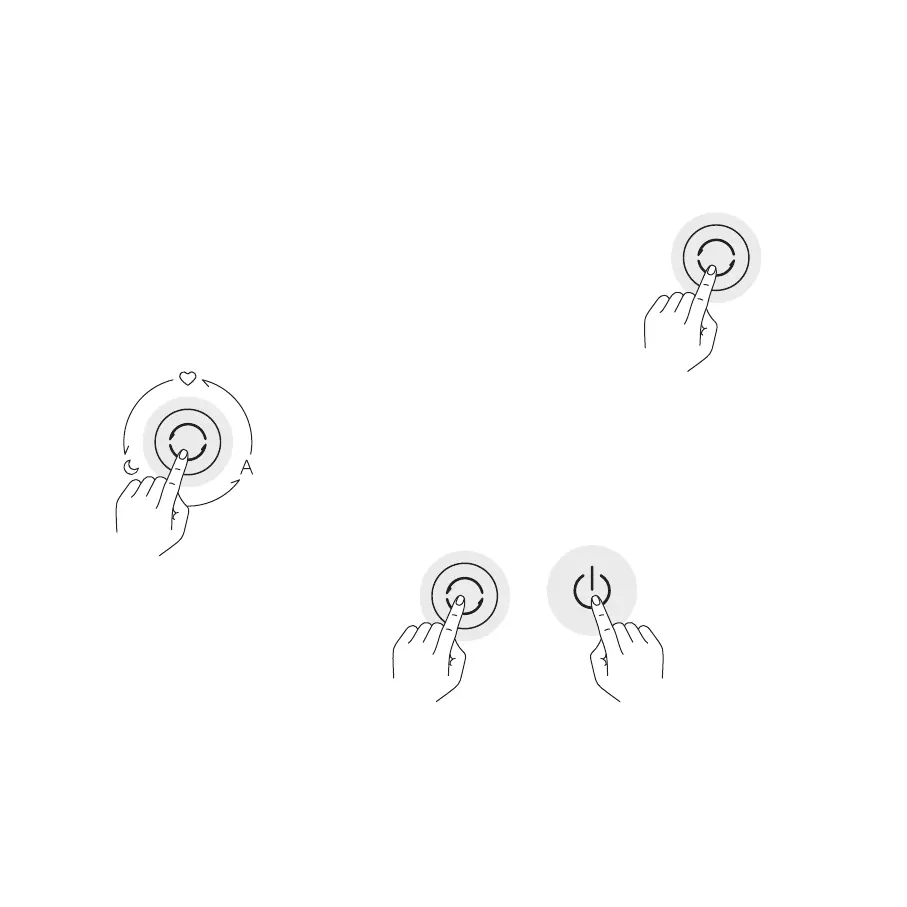
Enabling/Disabling Wi-Fi
Self-cleaning Mode
Switching Between Modes
While the device is turned on,
press the Mode button on the front
of the device to switch between
three modes in sequence (Max -
Automatic - Sleep).
Use
When you connect the App for
the first time or fail to connect,
press and hold the Mode button
for seven seconds. The Wi-Fi icon
will blink and the device will issue a
notification tone signifying that the
device is ready to be connected
and the Wi-Fi has been reset.
Tap and hold the power on/standby button and mode button for 7 seconds.
The humidifier will make a notification sound and the Wi-Fi will be disabled.
While the Wi-Fi is disabled, tap and hold the power on/standby button and
mode button for 7 seconds. The humidifier will make a notification sound
and the Wi-Fi will be enabled.
Use the app to enable or disable self-cleaning mode. After the self- cleaning
task is completed, the device will issue a notification tone, switch to Standby
mode, and darken the screen.


 To Next Page