6
GETTING STARTED
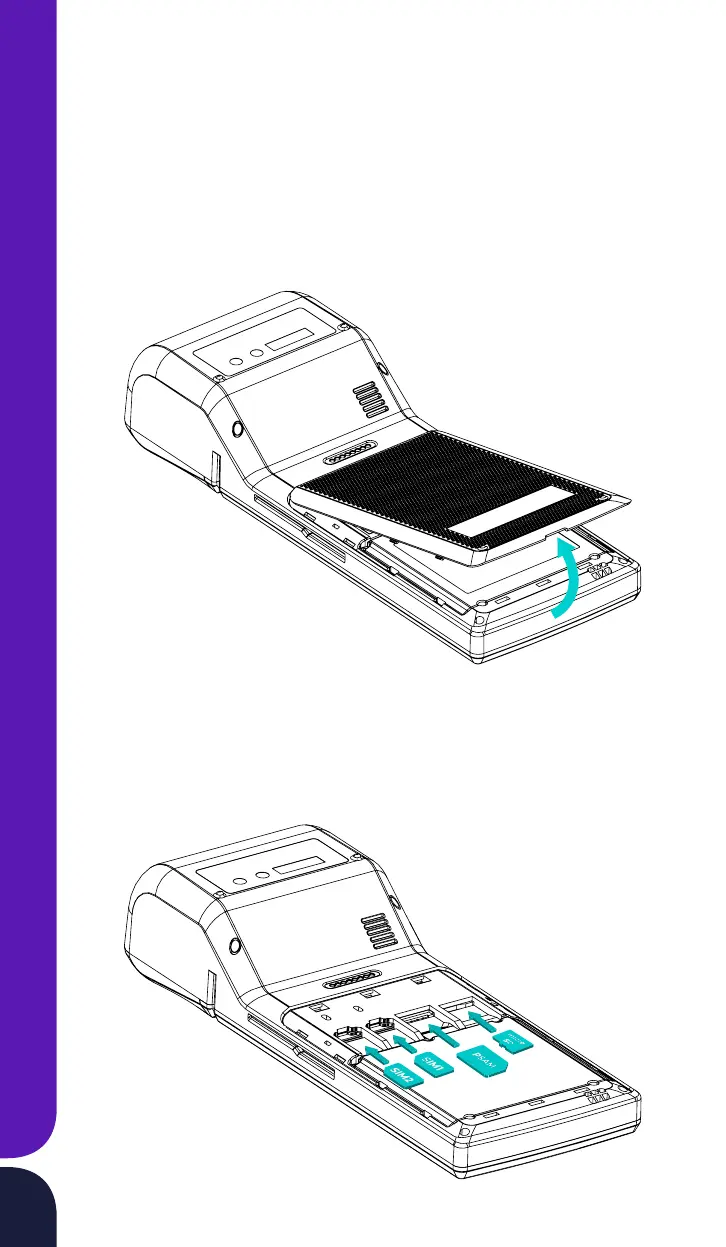
Installing Expansion Cards
· Turn o the device power with the on/o button
· Remove the cover of the expansion slot compartment using the special
notch for removing the cover.
· Insert SIM cards 1 and 2 and PSAM all the way into the designated slots
as shown in the figure. Insert the microSD card into the slot until you
hear a click of the card holding mechanism



 To Next Page