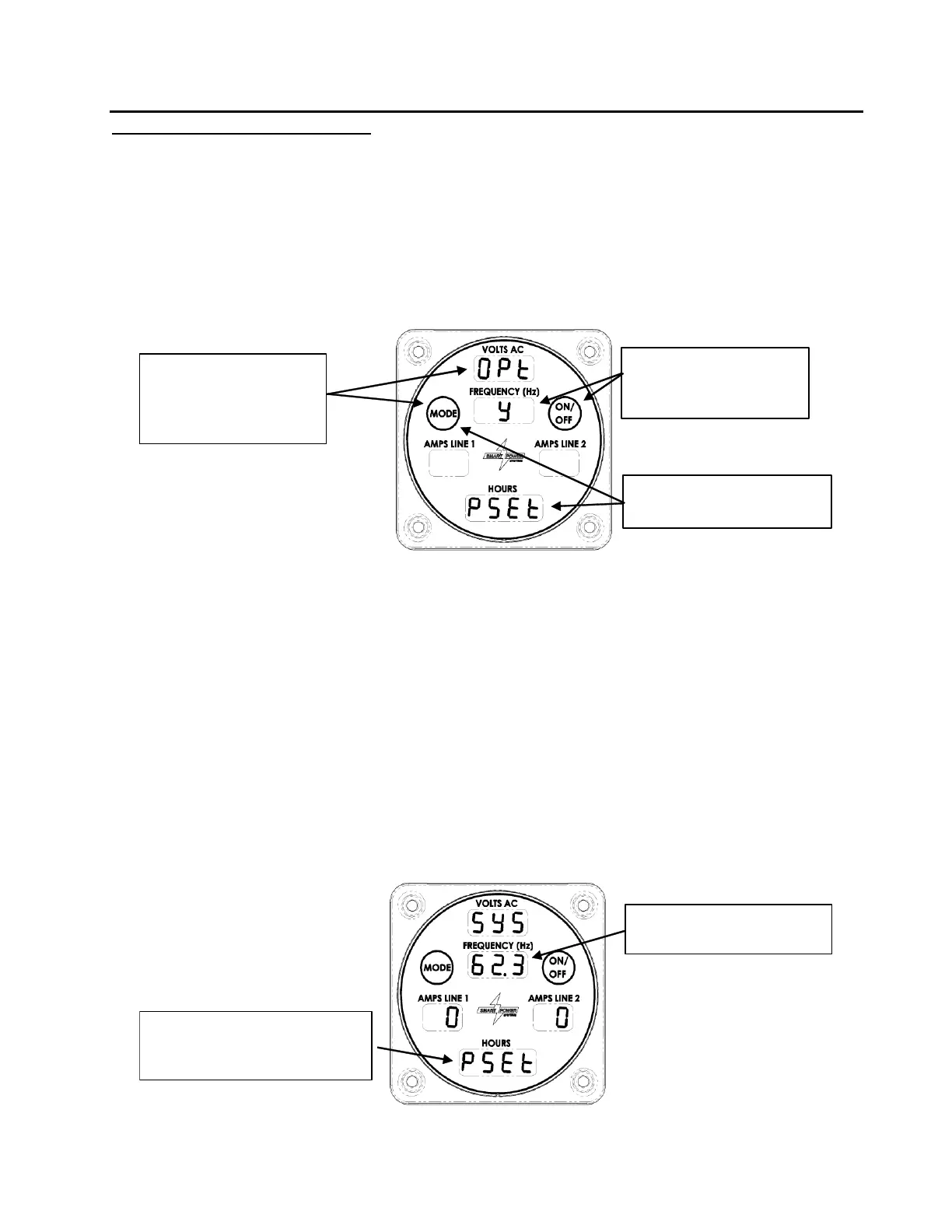
Pump adjustment procedure:
1. Enable the generator Pump Set option.
The system controller has been designed to provide a Pump Set option. With this option
applied, the generator will turn at the maximum speed allowed by the hydraulic pump to
allow proper adjustment of the pump’s flow.
The Pump Set option can be accessed by performing the following steps:
Figure 32 – Enabling Pump Set Option
a. If the Command & Control Center is dark, press the Mode button to put the
Command & Control Center into Normal mode.
b. Press and hold the Mode button until the Amps Line 1 field blinks with (more
than 10 seconds). Release the button while the Amps Line 1 field is blinking to
make appear. Reference Figure 32.
c. Press (and release) the Mode button until appears.
d. Press the On/Off button until a appears, indicating Pump Set option is Active.
e. Return to Normal mode by pressing the Mode button until the screen shown in
Figure 33 is displayed. Pump Set will still be active.



 To Next Page