-5-
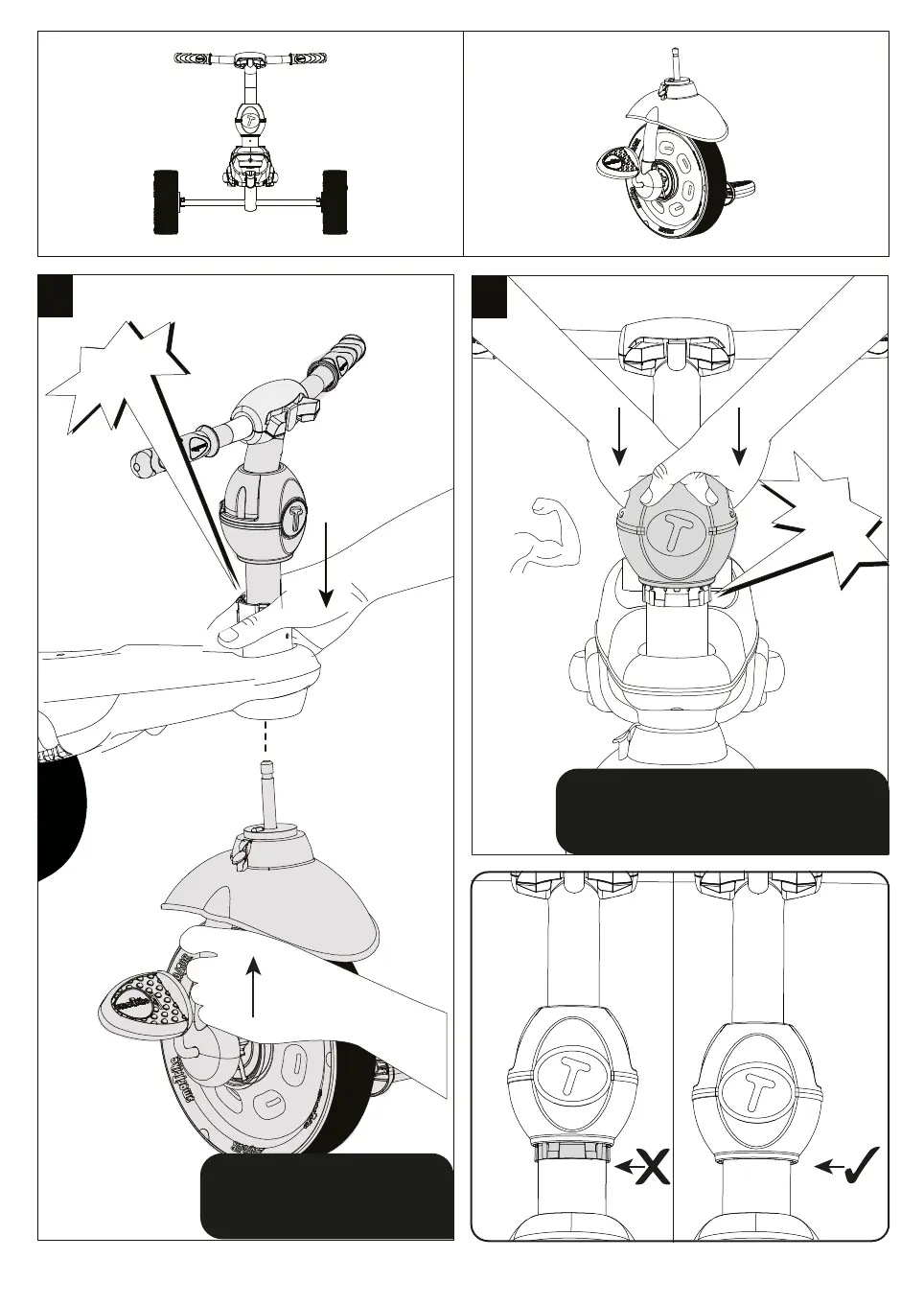
Push the apple rmly down to
insert, slightly turn until you
-
a
4a
CLICK!
ly down to
insert, slightl you
" k r
-
b
4b
Step 4
Parts needed to complete this section
Push the apple firmly down to insert,
slightly turn until you hear a "click".
Make sure white connector is not visible.
Insert the wheel all the way
through the body of the trike until
the bolt meets the retaining head.
CLICK!



 To Next Page