-7-
Step 6
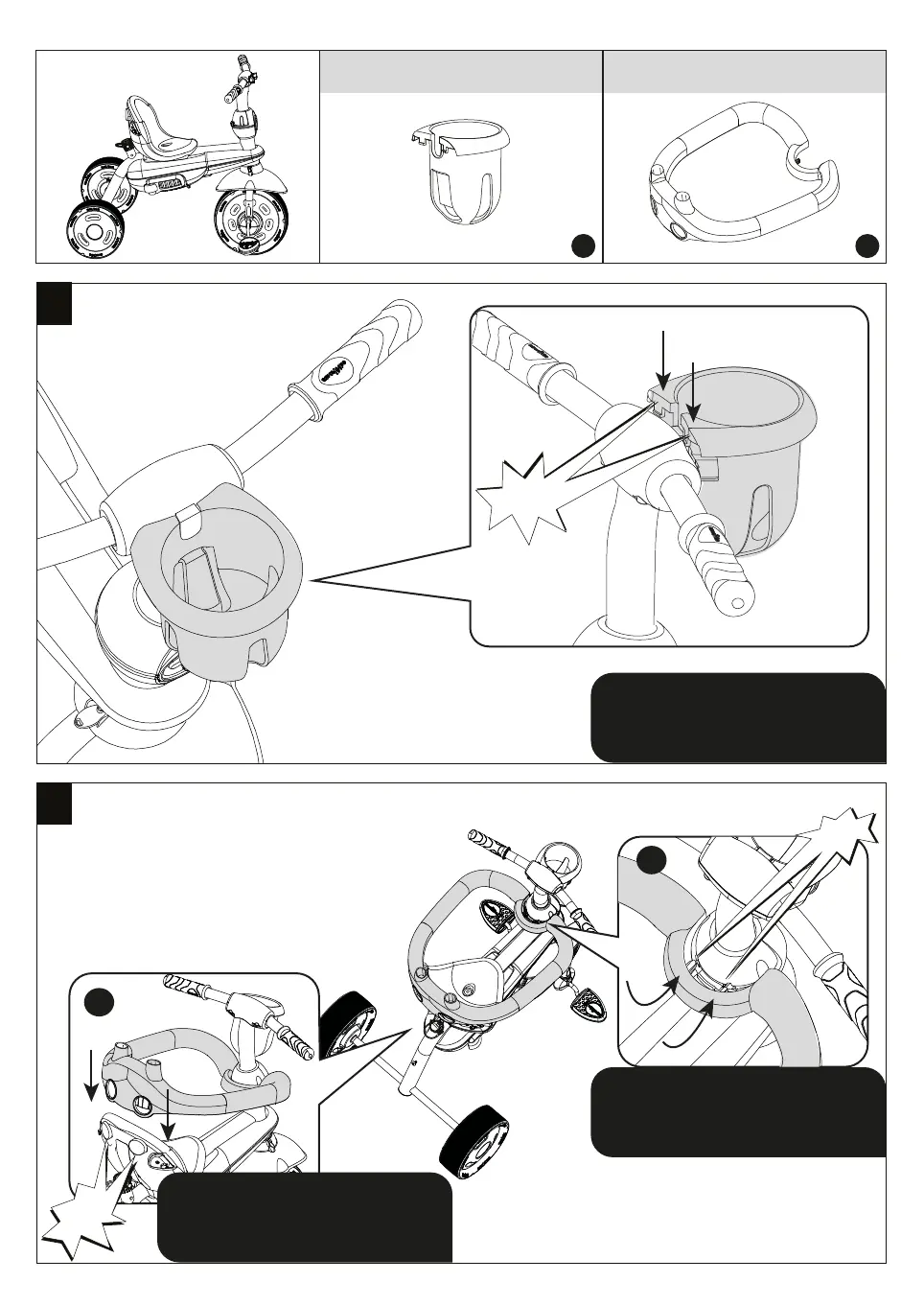
Parts needed to complete this section
6a
6b
CLICK!
With little force, push safety bar
(H) into the apple's holes until you
hear a "click".
CLICK!
1
2
Place safety bar (H) holes into
protrusions located at the back of
the seat.
Align part (F) into the designated
holes in the center of the handlebar
and push down firmly until it "clicks".
CLICK!
H
F


 To Next Page