2.
3.
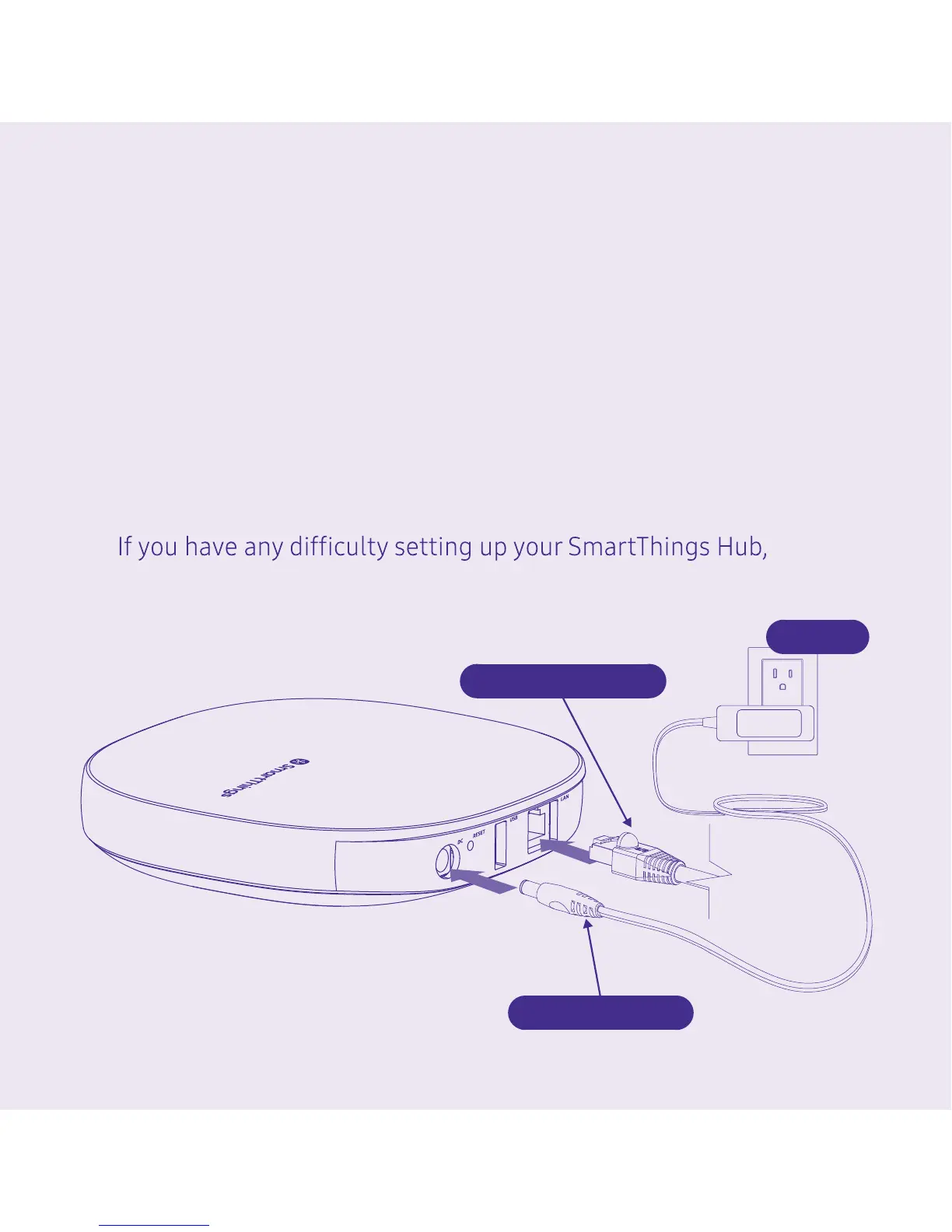
Tip: You can also connect the SmartThings Hub to your
Wi-Fi router using the supplied Ethernet cable.
Download the free SmartThings app for Android or
iOS, and create an account. Select the "Add device" card
and then select the "Hubs" category to connect your
SmartThings Hub.
Follow the on-screen instructions in the SmartThings
app to connect the Hub to your Wi-Fi network and
complete setup.
please visit Support.SmartThings.com for assistance.
Power Connector
Network Connector
AC Plug
(Optional)


 To Next Page