SmartThings
Quick-Start Guide
App Hub Things
Hub
A safer,
smarter home
starts with
me!
The free SmartThings
app lets you get
important notifications
about what’s
happening, control
things in every room,
and run your home
from your phone.
The Hub sends
commands from
the free app
to your connected
things, and sends
important alerts from
your things to your
smartphone.
Add devices from
SmartThings’
family of sensors or
hundreds of other
connected products
to create a smart
home that fits your
lifestyle.
TM
1 2
3 4
AC Plug
Power Adapter
Network
Connector
Power Connector
Front
Back
Status Light
Power Reset USB Network
(ethernet)
Meet Your SmartThings Hub
SmartThings lets you easily control, monitor, and secure your home from
anywhere in the world. At the center of it all is the SmartThings Hub.
One App + One Hub + All Your Things
Creating a safer, smarter home has never been easier. Start with the SmartTh-
ings app and Hub, add your favorite products, and control them from another
room or another country.
The Brain of Your Smart Home
Like a live-in translator, the Hub wirelessly connects all of the different sensors
around your home so that they can send important information to your
smartphone, and to each other.
The SmartThings Hub connects to your Internet router via the included
Ethernet cable. The Hub has a ZigBee, Z-Wave, and Bluetooth radio, and also
supports IP-accessible devices–providing customers with the widest range of
supported devices of any smart home platform. In addition, the Hub contains
replaceable batteries that allow it to continue operating in the event of a power
outage.
For a list of products that have been tested and verified as compatible,
please visit
http://www.smartthings.com/product/works-with-smartthings/.
So Easy Anyone Can Do It
As with all SmartThings devices, the Hub requires no wiring or messy installa-
tion–just a simple setup that anyone can do.
Simply plug in the included Ethernet cable from your Hub to your Internet
router, attach the power cord to the wall, and then use the free SmartThings
app to start connecting your devices. Easy peasy.
Simple Setup
The SmartThings Hub works best if installed in a central location to where your
SmartThings will be connected. The recommended separation distance from
the user for this equipment is 7.6 inches (20 cm).
• Connect your SmartThings Hub to your Internet router using the
included Ethernet cable.
• Plug in the power adapter to an outlet and attach the power connec-
tor to the back of the Hub.
• Continue setting up your Hub by going to www.SmartTh-
ings.com/start on your smartphone and following the on-screen
instructions.
Battery Backup Installation
Disconnect the network cable and power adapter or any other connected
peripherals before installing batteries (4 x AA):
• Slide bottom cover off.
• Insert 4 AA batteries.
• Slide bottom cover on till it snaps in to place.
NOTE: Hub does not recharge batteries.

 Need help?
 General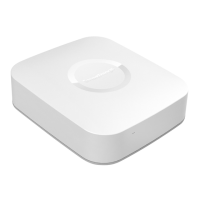

 To Next Page