If you’re still having trouble connecting
the Outlet, please visit
Support.SmartThings.com for assistance.
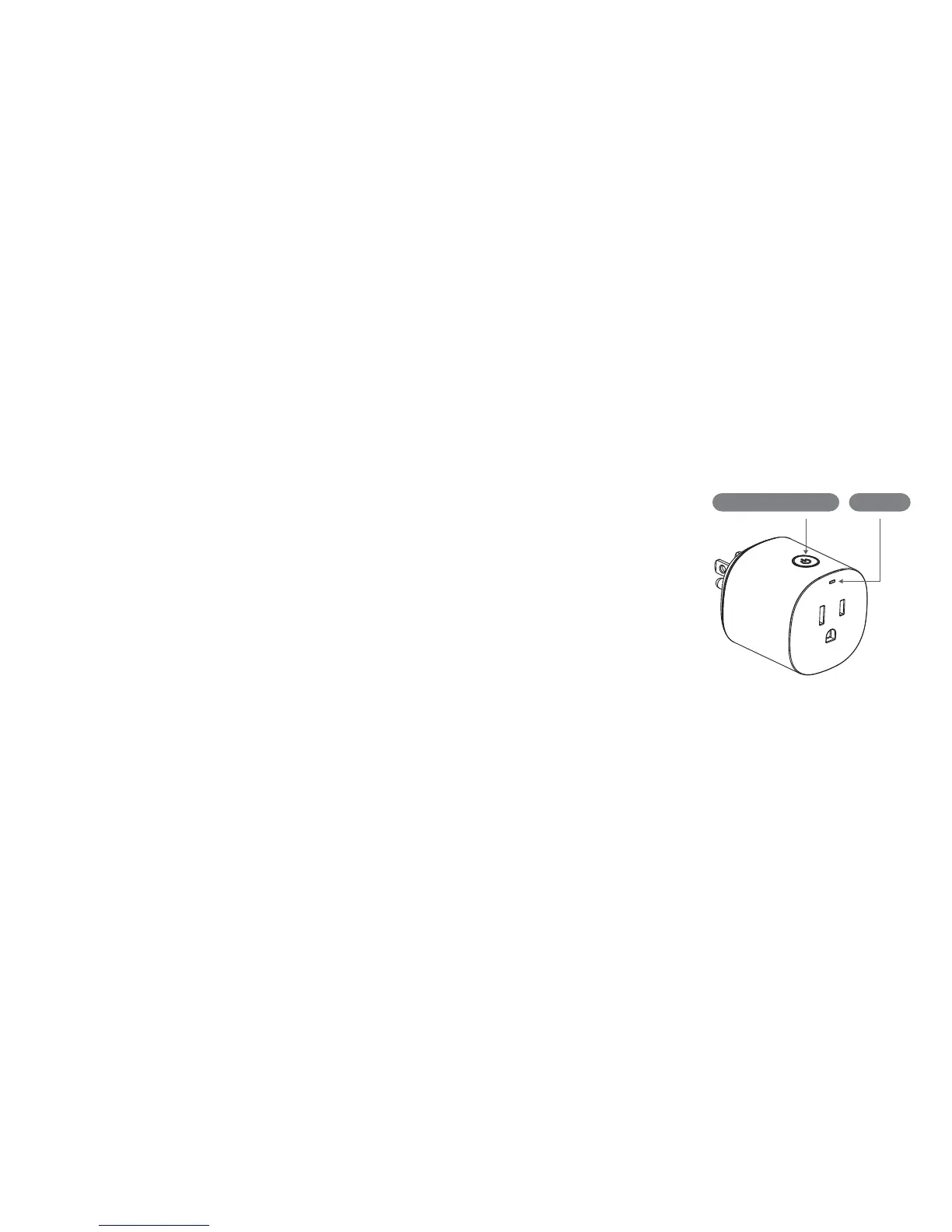
On-Off / Connect button
Troubleshooting
1.
2.
Hold the “On-Off / Connect” button
for 5 seconds, and release it when
the LED starts blinking blue.
Use the SmartThings mobile app to
select “Add device” card and then
follow the on-screen instructions to
complete setup.
Placement
The Outlet can be used to monitor and
control lights, electronics, and small
appliances from anywhere.
It can also be used to extend the range
of your SmartThings and other
compatible ZigBee devices.
Revised 05/18. Copyright 2018.
SmartThings, Inc. All rights reserved.
LED Light


 To Previous Page