EasyManua.ls Logo

SmartThings STS-IRM-250 - User Manual

SmartThings STS-IRM-250
2 pages
Print Icon
To Next Page IconTo Next Page
Loading...
CR2477
USE CARE when
replacing the battery
to avoid damaging
the device.
Replacing the battery
To replace the battery in your Motion Sensor, use a flat tool
to carefully remove the battery from the device. Then add a
new battery and close the cover back into place.
Using the Motion Sensor:
You'll want to place your Motion Sensor so that the circular
sensor is facing the area that you'd like to monitor. Be sure
that no objects are directly blocking the Sensor's line of
detection. By angling the sensor downward, it will be able to
detect movement of pets. By angling it upward or by placing
it flat in elevated area, it won't detect the movement of pets.
Quick-Start
Guide
Wall
Plate
Template for wall mounting:
Motion Sensor
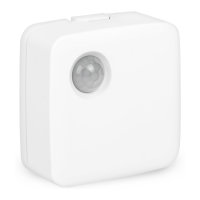
Meet your Motion Sensor
The Motion Sensor lets you know when movement is
detected in a certain area and can trigger different actions
in response to that movement (or lack of movement).
Installation Tips
The Motion Sensor works best if it’s within 15 feet (4.5
meters) of the SmartThings Hub when you connect it.
How to connect a Motion Sensor
Select “Connect New Device” in the free SmartThings
mobile app and then remove the “Remove to pair” tab found
in the Motion Sensor.
REMOVE
TO PAIR
Motion Sensor components
Motion Sensor
Wall Plate
If your device doesn’t connect
If your device doesn't connect when you remove the pull-tab,
hold the "Connect" button for 5 seconds and release it when
the LED light starts blinking red, then tap "Connect New
Device" under Marketplace in the SmartThings app.
Note: If you don't release the "Connect" button when the LED
light starts blinking red, the device will not be able to
complete the connection.
Connect Button
LED Light
Cover
CR2477
Bottom
Question and Answer IconNeed help?

Do you have a question about the SmartThings STS-IRM-250 and is the answer not in the manual?

Summary

Quick-Start Guide

Meet your Motion Sensor

Introduces the Motion Sensor and its capabilities.

How to connect a Motion Sensor

Guides through the process of connecting the device to the SmartThings Hub.

Motion Sensor components and troubleshooting

Identifies sensor parts and provides steps if the device fails to connect.

Using and Mounting the Motion Sensor

Explains optimal placement and provides a template for wall mounting.

Replacing the battery

Details the procedure for replacing the sensor's battery.

Safety and Compliance

General Safety Instructions

Provides essential safety guidelines for product usage and installation.

Battery Disposal and Recycling

Instructs on the proper disposal and recycling of used batteries.

FCC and Canada Compliance

Details FCC and Industry Canada certifications and statements for regulatory compliance.

One Year Limited Warranty

Outlines the terms and conditions of the product's limited warranty.

SmartThings STS-IRM-250 Specifications

General IconGeneral
Model NumberSTS-IRM-250
CategoryAccessories
ConnectivityZigbee
CompatibilitySmartThings Hub
Power SourceBattery
Battery TypeCR2032
Battery LifeUp to 1 year
Operating Temperature0-40°C

Related product manuals