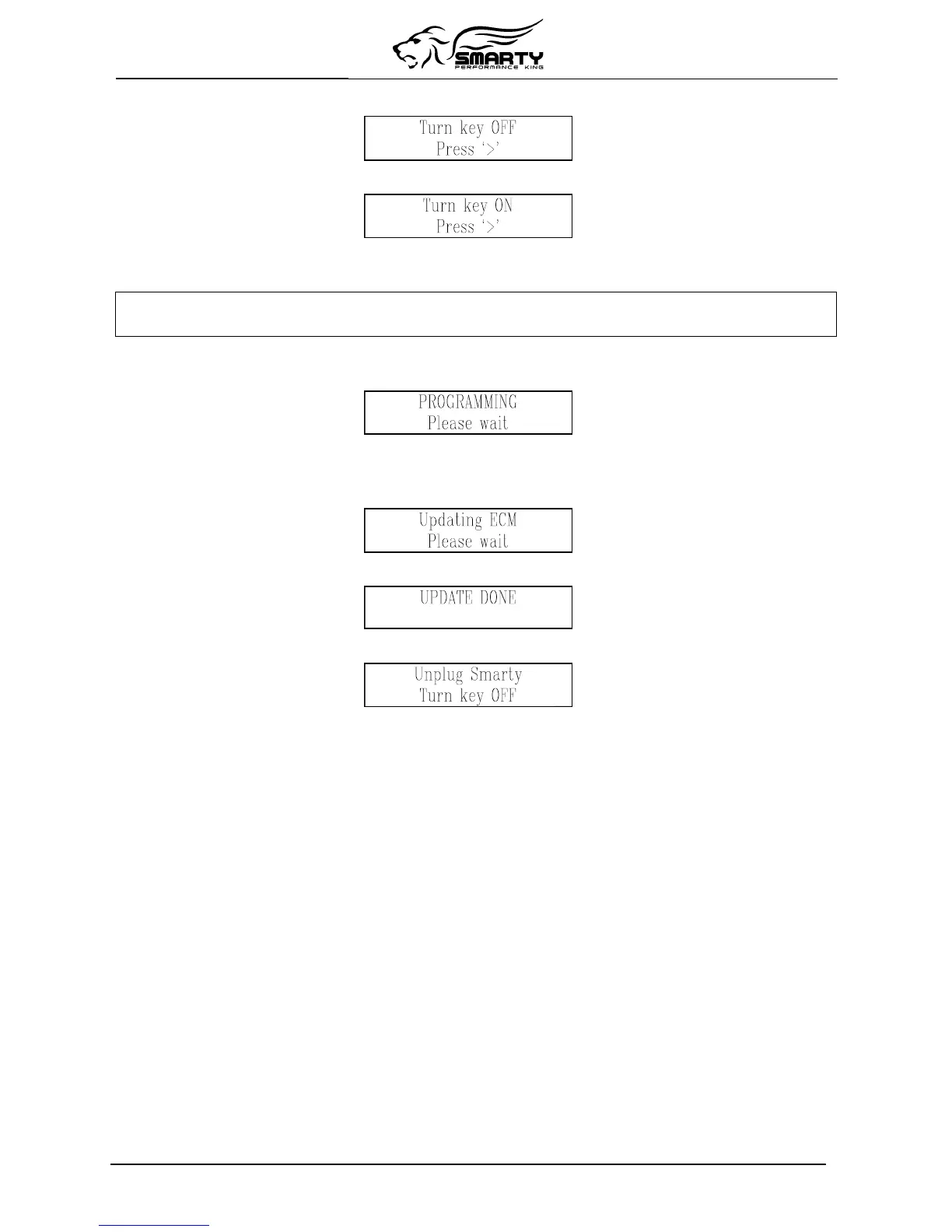
Smarty asks you to turn OFF the ignition key:
Pressing the ‘>’ key, Smarty asks you then to turn ON the ignition key to retry the communication:
Press the ‘>’ key.
The communication cannot start yet. Smarty shows the following message:
A previous update has been interrupted
Press ‘>’ to restore ECM to Stock
The message is longer than the physical display, so it rotates continuously.
Pressing ‘>’ the recovery operation starts. You will see the following page:
After a few seconds, an up-counter with the percentage of the transmitted software will appear.
At the end of the transmission (when the 100% is reached) Smarty will update the functional
parameters of the ECM. The following page will appear:
At the end of the recovery operation, the following page appears:
After a few seconds Smarty displays the following page:
The job is done. The ECM has been returned to the STOCK condition and Smarty is no longer VIN#
Locked. You’re ready to start from the beginning again.
Page 10 of 20


 To Next Page