Home
SMC Networks
Gateway
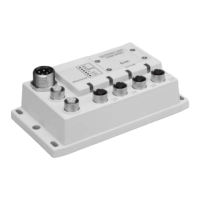
ProtoNode FPC-N34
SMC Networks ProtoNode FPC-N34 - User Manual
50 pages
Manual
Specs
Ask a question
Save Page as PDF
To Next Page
To Next Page
Loading...
ProtoNode F
PC-N34 and Pr
otoNode F
PC-N35
Startup Guide
For Interfacing
Products: ENVI,
LOVE, NURO
To Building A
utomation Syste
ms:
BACnet MS/
TP, BACnet/IP,
Modbus
TCP/IP, Metasys N2
and L
onW
orks
APPLICABILITY &
EFFECTIVITY
Explains ProtoNode har
dware and i
nstallation.
The instructions are effec
tive for the above as
of April 2016.
Document Revision: 14.B
Auto Discovery
Template Revision: 57
2
Table of Contents
Main Page
Table of Contents
5
Introduction
7
Protonode Gateway
7
Setup for Protonode
8
Record Identification Data
8
Point Count Capacity and Registers Per Device
8
Figure 1: Protonode Part Numbers
8
Figure 2: Supported Point Count Capacity
8
Figure 3: Registers Per Device
8
Configuring Device Communications
9
Set COM Setting on All of the Devices Connected to the Protonode
9
Set Modbus RTU Node-ID for each Device Attached to the Protonode
9
Figure 4: Modbus RTU COM Settings
9
Selecting the Desired Field Protocol and Enabling Auto-Discovery
10
Selecting Desired Field Protocol
10
Figure 5: S Bank DIP Switches
10
Enabling Auto-Discovery
11
Figure 6: S3 DIP Switch Setting for Auto Discovering Devices
11
BMS Network Settings: MAC Address, Device Instance and Baud Rate
12
Bacnet MS/TP (FPC-N34): Setting the MAC Address for BMS Network
12
Figure 7: MAC Address DIP Switches
12
Bacnet MS/TP and Bacnet/Ip (FPC-N34): Setting the Device Instance
13
Metasys N2 or Modbus TCP/IP (FPC-N34): Setting the Node-ID
13
Bacnet MS/TP (FPC-N34): Setting the Baud Rate for BMS Network
14
Figure 8: BMS Baud Rate DIP Switches
14
Figure 9: BMS Baud Rate
14
Interfacing Protonode to Devices
15
Protonode FPC-N34 and FPC-N35 Showing Connection Ports
15
Figure 10: Protonode FPC-N34 (Upper) and Protonode FPC-N35 (Lower)
15
Device Connections to Protonode
16
Connecting NURO Modbus RTU Boilers to the Protonode's RS-485
16
Connecting LOVE Modbus RTU Boilers to the Protonode's RS-485
16
Connecting ENVI Modbus RTU Boilers to the Protonode's RS-485
16
Figure 11: Wiring Diagram for Modbus RTU RS-485 Connections to the Protonode's RS-485 Port
16
Biasing the Modbus RS-485 Device Network
17
Figure 12: Modbus RS-485 Biasing Switch on the Protonode N34 (Left) and Protonode N35 (Right)
17
End of Line Termination Switch for the Modbus RS-485 Device Network
18
Figure 13: Modbus RS-485 End-Of-Line Termination Switch on the Protonode N34 (Left) and
18
Bacnet MS/TP or Metasys N2 (FPC-N34): Wiring Field Port to RS-485 BMS Network
19
Lonworks (FPC-N35): Wiring Field Port to Lonworks Network
19
Figure 14: Connection from Protonode to RS-485 Field Network
19
Figure 15: RS-485 BMS Network EOL Switch
19
Figure 16: Lonworks Terminal
19
Power-Up Protonode
20
Figure 17: Required Current Draw for the Protonode
20
Figure 18: Power Connections
20
Auto-Discovery: after Completion - Turn off to Save Configuration
21
Figure 19: S3 DIP Switch Setting for Auto Discovering Devices
21
Bacnet/Ip or Modbus TCP/IP: Change the Protonode IP Address
22
Connect the PC to Protonode Via the Ethernet Port
22
Bacnet/Ip and Modbus TCP/IP: Setting IP Address for Field Network
23
Figure 20: Web Configurator Screen
23
Figure 21: Changing IP Address Via Web GUI
24
Bacnet MS/TP and Bacnet/Ip: Setting Node_Offset to Assign Specific Device Instances
25
Figure 22: Web Configurator Screen with Active Profiles
25
How to Start the Installation Over: Clearing Profiles
26
Lonworks (FPC-N35): Commissioning Protonode on a Lonworks Network
27
Commissioning Protonode FPC-N35 on a Lonworks Network
27
Instructions to Download XIF File from Protonode FPC-N35 Using Browser
27
Figure 23: Lonworks Service Pin Location
27
Figure 24: Sample of Fserver.xif File Generated
28
CAS Bacnet Explorer for Validating Protonode in the Field
29
Downloading the cas Explorer and Requesting an Activation Key
29
Figure 25: Downloading the cas Explorer
29
Figure 26: Requesting cas Activation Key
29
CAS Bacnet Setup
30
CAS Bacnet MS/TP Setup
30
CAS Bacnet Bacnet/Ip Setup
30
Appendix A. Troubleshooting
31
Appendix A.1. Lost or Incorrect IP Address
31
Figure 27: Ethernet Port Location
31
Appendix A.2. Viewing Diagnostic Information
32
Figure 28: Error Messages Screen
32
Appendix A.3. Check Wiring and Settings
33
Appendix A.4. Take Diagnostic Capture with the Fieldserver Utilities
33
Figure 29: Ethernet Port Location
33
Appendix A.5. Update Firmware
36
Appendix A.6. Bacnet: Setting Network_Number for more than One Protonode on Subnet
36
Figure 30: Web Configurator - Setting Network Number for Bacnet
36
Appendix A.7. LED Diagnostics for Communications between Protonode and Devices
37
Appendix A.8. Passwords
37
Figure 31: Diagnostic Leds
37
Appendix B. Vendor Information
38
Appendix B.1. ENVI Modbus RTU Mappings to Bacnet, Metasys N2, Modbus TCP/IP and Lonworks38 Appendix B.2. LOVE Modbus RTU Mappings to Bacnet, Metasys N2, Modbus TCP/IP and Lonworks
41
Appendix B.3. NURO Modbus RTU Mappings to Bacnet, Metasys N2, Modbus TCP/IP and Lonworks
43
Appendix C. "A" Bank DIP Switch Settings
46
Appendix C.1. "A" Bank DIP Switch Settings
46
Appendix D. Reference
49
Appendix D.1. Specifications
49
Appendix D.1.1. Compliance with UL Regulations
49
Figure 32: Specifications
49
Appendix E. Limited 2 Year Warranty
50
Need help?
Do you have a question about the SMC Networks ProtoNode FPC-N34 and is the answer not in the manual?
Ask a question
SMC Networks ProtoNode FPC-N34 Specifications
General
Brand
SMC Networks
Model
ProtoNode FPC-N34
Category
Gateway
Language
English
Related product manuals
SMC Networks SMCD3GNV
217 pages
SMC Networks SMCD3GN2
112 pages
SMC Networks SMC8014WN
93 pages
SMC Networks EX500-GEN2 Series
2 pages
BARRICADE SMC7901WBRA2 B1
150 pages

 Need help?
 General

 To Next Page