6
Measuring a headunit only
1. This procedure will determine where the
maximum unclipped volume setting of the
headunit is. This is accomplished by setting the
bass, treble, ect, to zero; and any EQs and
crossovers in the headunit to flat. Later, when
you set the amplifier gain(s); you can reset these
to where you feel the customer will set them, or
where you will set them for your own system.
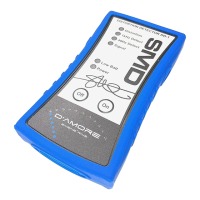
2. Next you need to connect the DD-1 to the
headunit’s outputs. Just plug the RCA outputs
into the RCA input of the DD-1. If you are using
speaker level outputs from the headunit, use the
included harness. Red to speaker (+) and Black
to speaker (-).
3. Play track 1 on test CD, turn the volume control
up until you see the signal detect LED illuminate.
4. Continue turning up the headunit and you should
see the 40Hz Detect LED illuminate.
5. Slowly continue turning up the headunit until the
Distortion LED illuminates, then turn headunit
down slowly until it goes out. Note the volume
setting.
6. Next change the track to track 2. Repeat the
steps 3-5 above, this time noting the 1kHz
Detect LED.
7. Now take the noted maximum volume settings
from the 40Hz test and the 1kHz test and
average them. This is your maximum
undistorted volume setting for the headunit.


 To Next Page