Microwave Function
How to Proceed Display (1)
1.
1.1.
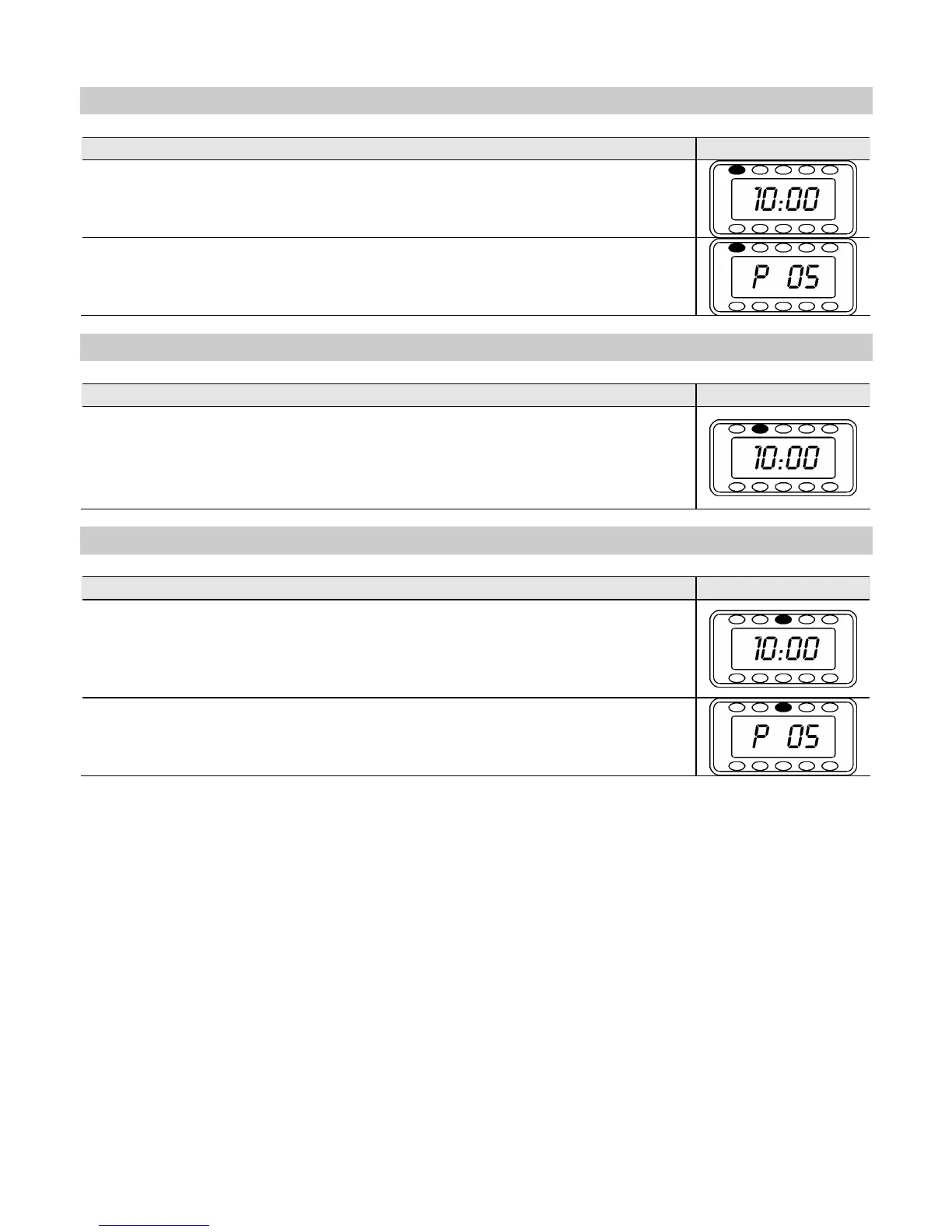
1. Press the MICROWAVE (4) key: the Microwave function indicator light up.
2.
2.2.
2. Introduce the functioning time (example: 10 minutes), by tur
KNOB (14) in both directions.
3.
3.3.
3. To change the microwave power, press the – (5) and +(12) keys. If these keys
are not pressed, the microwave oven work as default at maximum power.
4.
4.4.
4. Press the START key (6). The oven starts working.
Grill Function
How to Proceed Display (1)
1.
1.1.
1. Press the GRILL key (10): the Grill function indicator light up.
2.
2.2.
2. Introduce the functioning time (example: 10 minutes), by tur
KNOB (14) in both directions.
3.
3.3.
3. Press the START key (6). The oven starts working.
Microwave and Grill Function
How to Proceed Display (1)
1.
1.1.
1. Press the MICROWAVE + GRILL key (11
): the MICROWAVE + GRILL function
indicator light up.
2.
2.2.
2. Introduce the functioning time (example: 10 minutes), by tur
KNOB (14) in both directions.
3.
3.3.
3. To change the microwave power, press the – (5) and + (12) keys. If these keys
are not pressed, the microwave oven work as default at maximum power.
4.
4.4.
4. Press the START key (6). The oven starts working.


 To Next Page