Use
37
Microwave Cooking
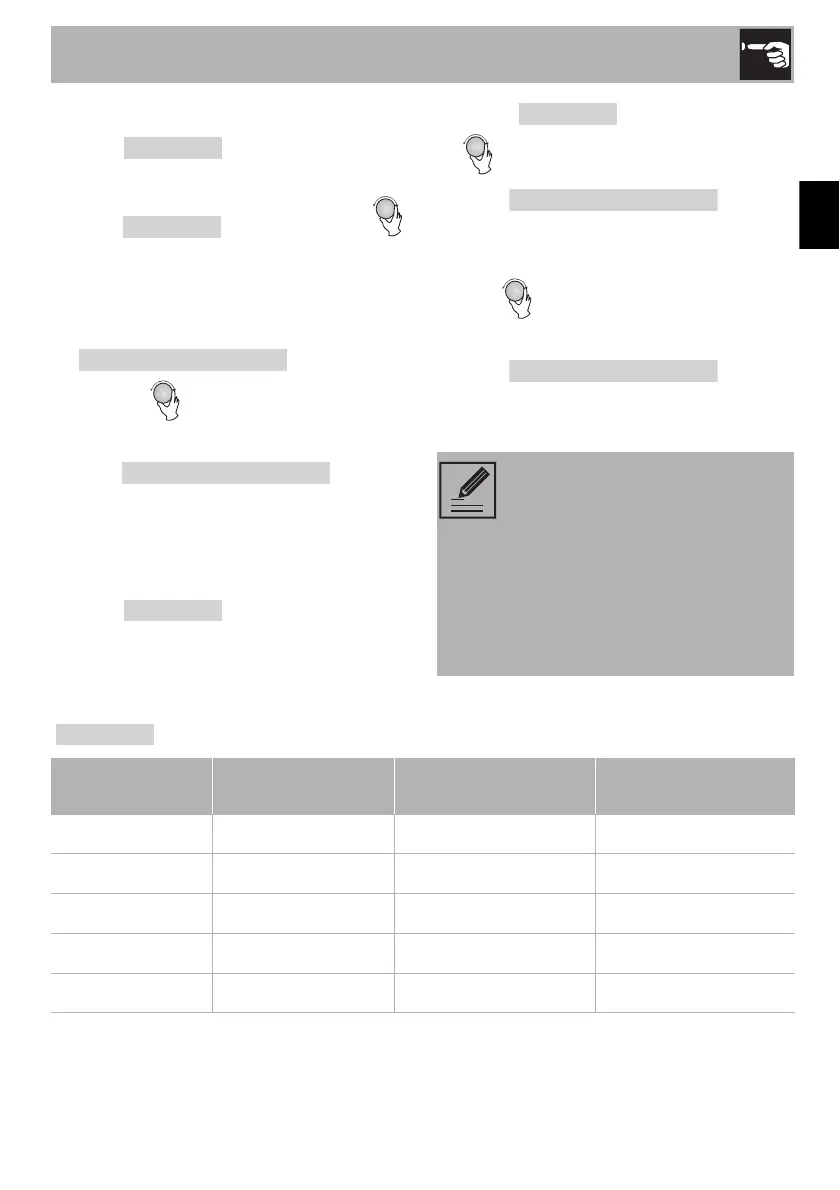
1. Press once, once, the
screen will display “90W”.
2. Press for times or turn
to choose the power you want, and
“90W”, “270W”, “450W”, “720W” or
“900W” will display for each added
press. Then press
to confirm,
and turn to set cooking time from
0:05 to 95:00.
3. Press
again to
start cooking.
Example: If you want to use microwave
power to cook for 20 minutes, you can
operate the oven as the following steps:
1. Press once, the screen
displays “90W”.
2. Press once again or turn
to choose medium low.
3. Press
to
confirm, and the screen displays
“270W”.
4. Turn to adjust the cooking time until
the oven displays “20:00”.
5. Press
to start
cooking.
Pad instructions
The step quantities for the
adjustment time of the coding
switch are as follow:
• 0-1 min: 5 seconds
• 1-5 min: 10 seconds
• 5-10 min: 30 seconds
• 10-30 min: 1 minute
• 30-95 min: 5 minutes
Order Display Microwave Power Grill Power
1 90W 10%
2 270W 30%
3 450W 50%
4 720W 80%
5 900W 100%


 To Next Page