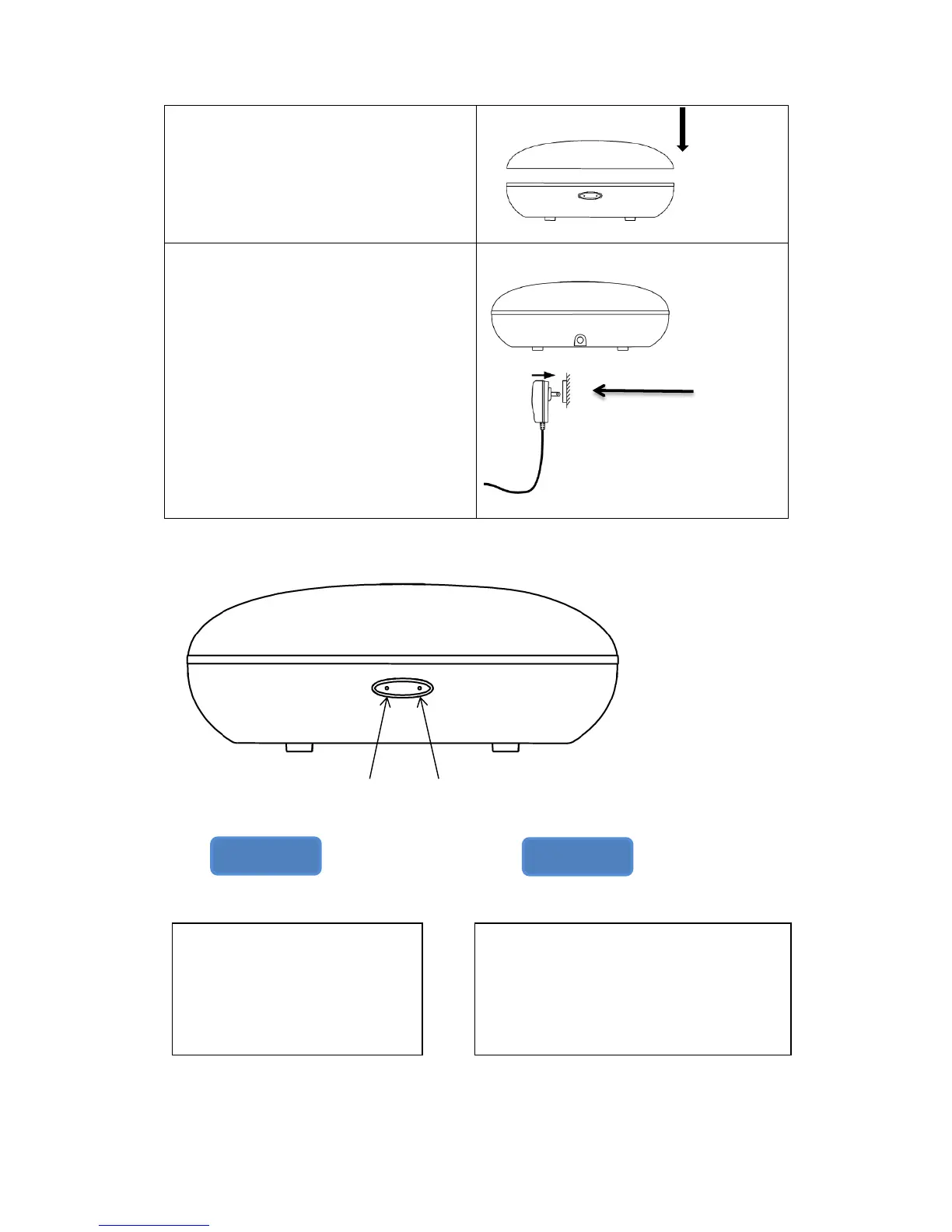
5. Place the outer cover onto the base.
Make sure it is an exact fit.
6. Plug in and turn on the device using
the mist button. The right side of the
singular button is the mist button.
The left side is the light button.
Light Button Mist Button
Light button Mist Button
This button controls the light function. This button controls the mist function
1
st
press: rotate light colors
2
nd
press and on: fix on one
light color
Press and hold for 2 seconds:
turn off the light
1
st
press: the unit will work in continuous
mist mode
2
nd
press: auto shut-off after 2 hours of
use
3
rd
press: switches the unit off


 To Next Page