Need help?
Do you have a question about the SmooSat E9 Pro and is the answer not in the manual?
Details on the scooter's control panel, including ON/OFF button, ambient light button, battery, and speed displays.
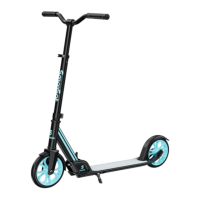
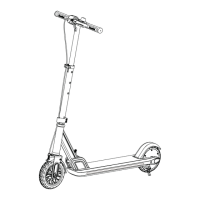
The SmooSat E9 Pro / E9 Apex is an electric scooter designed for sports and recreational use, offering a stylish and convenient mode of transportation. This owner's manual provides comprehensive instructions for assembly, operation, and maintenance, ensuring a safe and enjoyable riding experience.
The SmooSat electric scooter is a personal mobility device powered by an electric hub motor, allowing riders to travel at various speeds depending on the selected mode. It features a throttle for acceleration and a rear-fender brake for controlled stopping. The E9 Apex model includes a Bluetooth® speaker, enabling riders to connect their devices and enjoy audio during their ride. The scooter is designed for easy folding and carrying, making it suitable for commuters and those with limited storage space.
The scooter comes pre-assembled, requiring minimal setup. To unfold the scooter, place it on the ground and push the release lever down. The handlebar height can be adjusted by opening the quick-release lever, sliding the T-bar to the desired position, and then resecuring the lever. The tension of the quick-release lever can be adjusted with an Allen bolt, but care should be taken not to overtighten it. The handlebar itself is inserted with the throttle facing the rider and then tightened with a 5mm Allen wrench.
To charge the scooter, lift the rubber plug covering the charging port and insert the charger plug. The charger's light will turn green when plugged into a wall outlet and red during charging. Once charging is complete (approximately 5 hours), the light will turn green again, and the rubber plug should be reinserted.
The scooter is turned on or off by pressing and holding the ON/OFF button for 2 seconds. A short press of this button allows riders to adjust the maximum speed mode. There are three speed modes: E (Economical) for a max speed of 5 mph, N (Normal) for a max speed of 8 mph, and S (Sport) for a max speed of 10 mph. The current speed and battery level are displayed on the handlebar.
The scooter features ambient lighting. Press and hold the Ambient Light Button for 2 seconds to turn the light on or off. A short press of this button will change the light mode.
Before riding, it is crucial to wear proper protective equipment, including an approved safety helmet, elbow pads, and kneepads. Shoes with tied shoelaces are recommended, and riding barefoot or in sandals should be avoided. To start riding, press and hold the power button for 2 seconds to turn on the scooter and check the power indicator. Step on the deck with one foot and slowly kick off with the other. Once the scooter starts to coast, place both feet on the deck and push down the accelerator. It's important to note that the accelerator will only engage once the scooter reaches a speed of at least 3 mph. To turn, tilt your body in the steering direction and gently turn the handlebar.
For controlled stops, release the throttle and apply pressure to the rear-fender brake.
For the E9 Apex model, Bluetooth® pairing allows connection to external devices. Ensure both the scooter and your device's Bluetooth® function are turned on. Locate "SmooSat E9 Apex" in your device's Bluetooth® device list and select it to pair.
The manual emphasizes the importance of daily care to ensure the longevity and optimal performance of the scooter. This includes regular checks of components and proper storage.
Specific instructions for cleaning the scooter are provided, likely advising against direct water spray to protect electronic components.
Guidelines for storing the scooter are included, which typically involve keeping it in a dry, cool place away from direct sunlight and extreme temperatures to preserve battery life and material integrity.
A troubleshooting guide is provided to help users diagnose and resolve common issues that may arise during operation. This section likely covers problems related to power, charging, motor function, and other operational aspects.
A dedicated section outlines comprehensive safety instructions, covering topics such as proper riding techniques, weight limits, environmental considerations, and precautions to prevent accidents. This includes warnings about riding in wet conditions, on uneven surfaces, and in traffic.
The manual includes a legal statement and details regarding FCC compliance, ensuring the product meets regulatory standards and informing users of their rights and responsibilities.
The SmooSat electric scooter is designed for ease of use, safety, and enjoyment, with clear instructions to guide users through every aspect of ownership.
 General
| Max Speed | 25 km/h |
|---|---|
| Battery | Lithium-ion |
| Weight Capacity | 132 lbs (60 kg) |
| Recommended Age | 8 years and up |
| Max Load | 132 lbs (60 kg) |

 To Next Page