INTRODUCING
YOUR
IN
-
HOME
DISPLAY
(
IHD
)
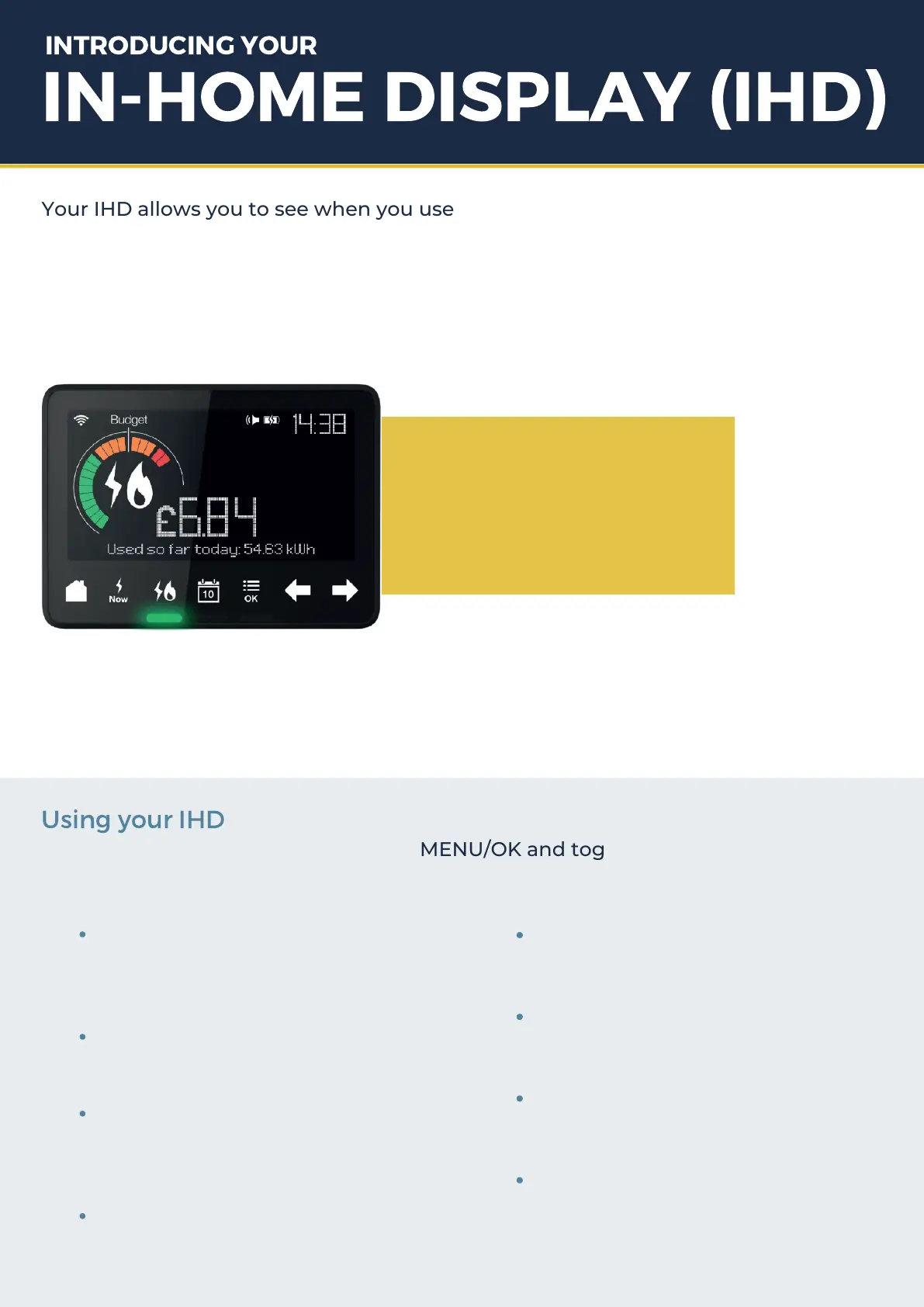
Your IHD allows you to see when you use energy in your home. While your smart
meters are busy collecting all your energy usage information, your IHD will display
it all for you in an intuitive and easy to access display.
You can see the impact of any changes you make to help you become more energy
efficient. It also helps you keep track of what you’re spending, in pounds and pence.
It’s really simple to get
started, and you can
start seeing your
energy usage today.
Once your smart meters are up and running, your IHD will start displaying
information about your usage. During installation we’ll have helped you find a
suitable location for your IHD, so you can access it easily.
Using
your
IHD
It’s easy to customise your IHD. Press MENU/OK and toggle to Settings. You can
choose to customise any or all of these options:
Set Budget
Screen Brightness
Night Mode
Low Credit Alert
set a budget to help you stay on track
with how much you spend
adjust higher or lower
the device dims between midnight
and 7am. You can turn this on or off.
turn on or off (prepayment
customers only)
Key Tones
Budget Alert
Language
Clear Settings
turn on or off
turn on or off
choose English or Welsh
clears all settings


 To Next Page