8
NOTE. The technical data of the appliance can be found on the rating label attached to the
inside wall of the appliance. For more information about the appliance, scan the QR code
on the enclosed energy label and / or visit the official website of the product database:
https://eprel.ec.europa.eu
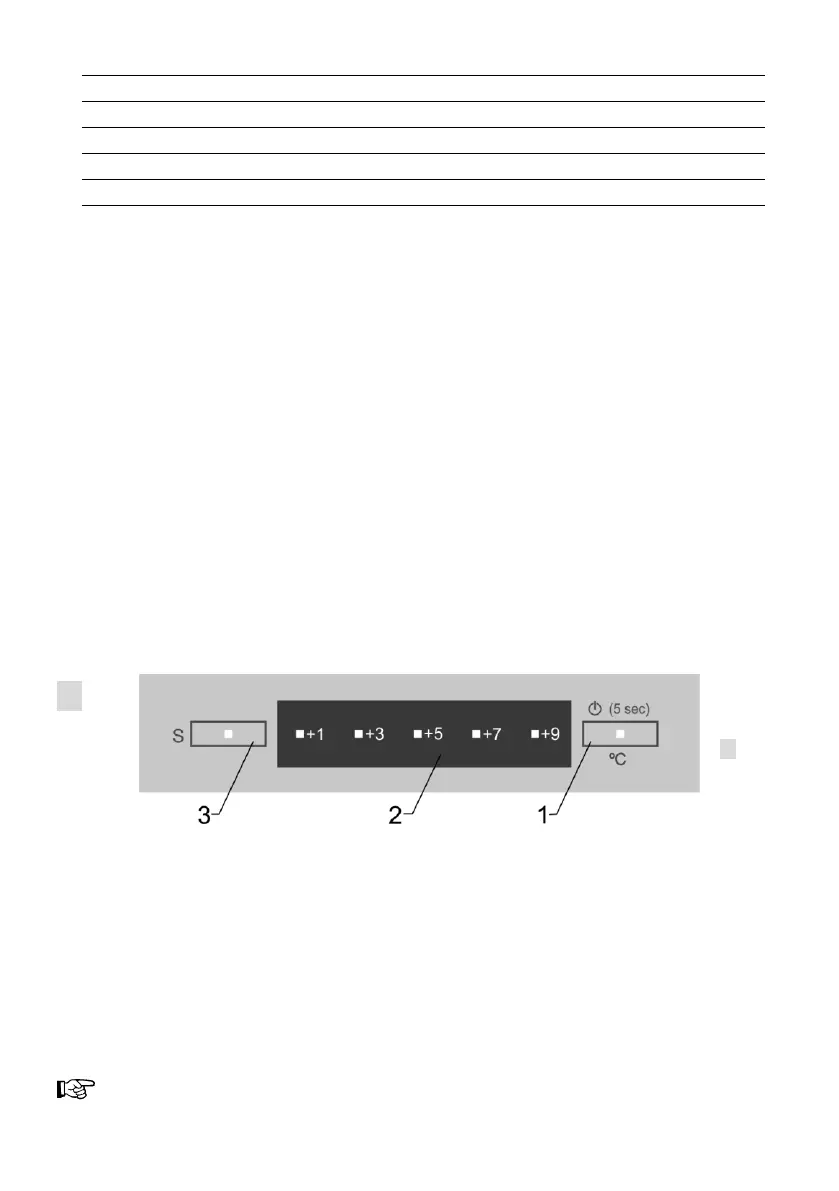
ELECTRONIC CONTROL PANEL DESCRIPTION,
TEMPERATURE REGULATION
When connecting the device to the mains for the first time, the blue temperature indicating
segment lights up at +5 (factory temperature setting +5 °C, but you can select the
preferred temperature according to your needs).
1 - Temperature adjustment button. Temperature setting in the refrigerator
compartment:
Activate temperature button 1: tap and keep until the temperature indicating segment
starts to flash in blue (active). Then release button 1 and tap repeatedly until the required
temperature segment is blue (activated). One tap changes the temperature by one
position.
The temperature setting operates in a circle: for example, the active segment is at +5, and
if you want to set +9 °C after activation you have to tap temperature button 1 2 times –
until the temperature indicating segment at +9 turns blue.
Refrigerator compartment temperature is adjustable on a five-point scale:
+9 – highest temperature (lowest cooling).
+1 – lowest temperature (highest cooling).
NOTE. After power loss the device turns on automatically, saving the last user-set
temperature in the refrigerator compartment.
IF THE REFRIGERATOR COMPARTMENT DOOR IS OPEN MORE THAN 30 SECONDS an
audible warning signal sounds, and silencing when the door is closed.
If the room temperature is below +16 °C, we recommend that you set a lower
temperature with the temperature-selection button (1).
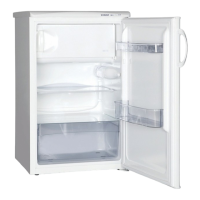
On / off switch for interior light
Frozen products section(s)
Height-adjustable shelves
Fruit and vegetable drawer Fruit&VEGS
Section for freezing small products


 To Next Page