104
7-1
Trouble shooting
7.1 System messages
The wheel balancer can show messages to the
operator. These may be error related (E-codes),
warnings (H-codes) or Hardware problems (X-Codes).
The codes will be described in the following chapters.
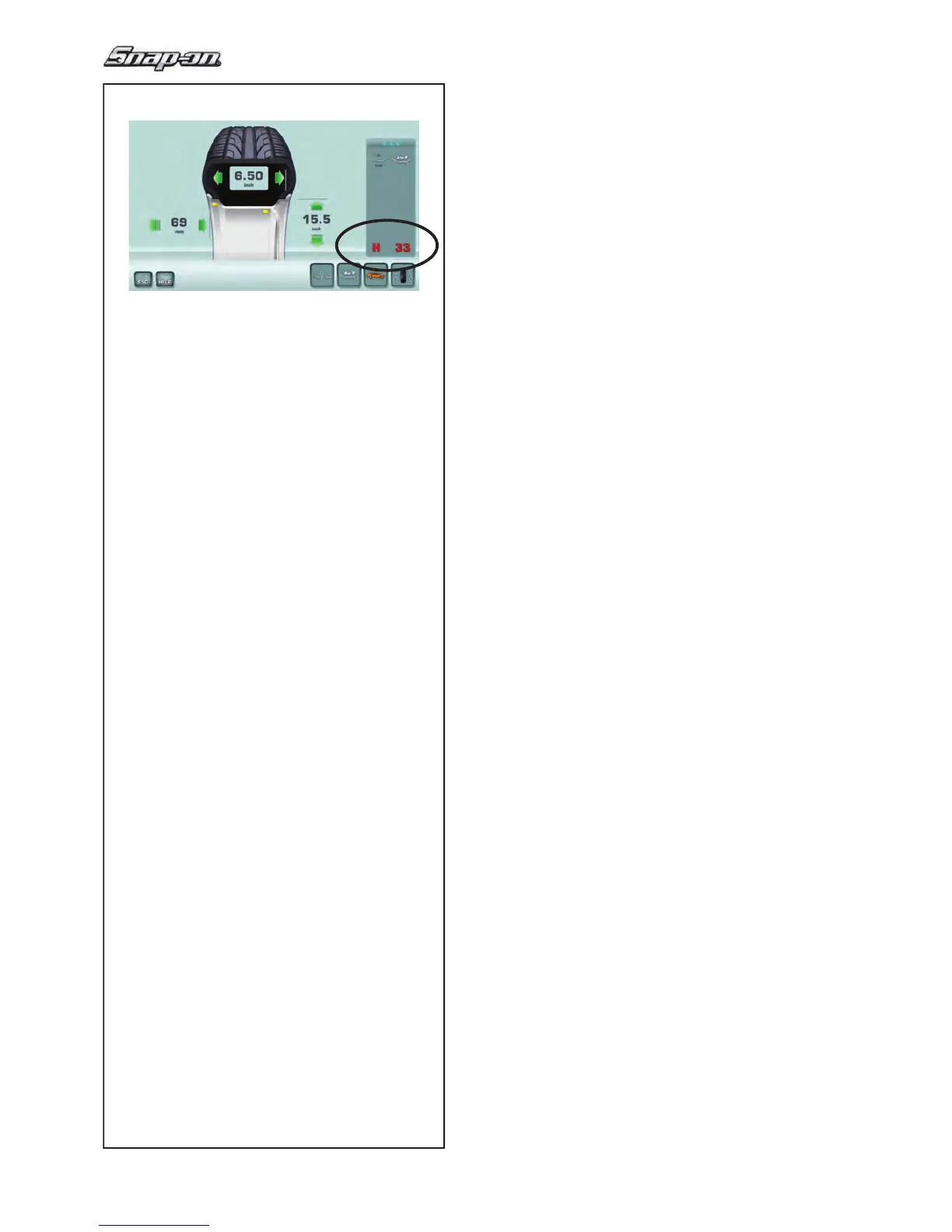
Whenever a code appears (e.g. H33 - Figure 7-1):
• make a note of it;
• look up the code in the list.
• perform the steps described.
Important:
If the code is not listed here, call service team.
7.1.1 E-Codes / H-codes
E2
Wheel guard is not closed.
E3
The
gauge for
measuring the distance and diameter
is not in the home position.
E5
Compensation range was exceeded.
(Clamping means with excessive imbalance).
Press the STOP key.
• Check the clamping means and repeat the
compensation run.
E6
The calibration weight was not attached for calibration.
Press the STOP key.
Repeat calibration.
E8
Valve position was not set (message only appears with
balancing optimisation / weight minimisation program).
• Position the valve so that it is exactly perpendicular
to and above the main shaft and press the F1 key.
E9
Optimisation / minimisation was not carried out
correctly.
1. Wheel was not exactly centred on clamping means
for at least one run.
2. Tyre was not centred on rim for at least one run.
3. Valve position was not set and acquired correctly
at least once.
4. Wrong reference mark (single or double) was used
when readjusting the tyre.
5. Wheel moved on clamping means during a
measuring run (sudden start or braking).
6. Wheel dimensions were not set correctly.
Repeat optimisation.


 To Next Page
 Loading...