54
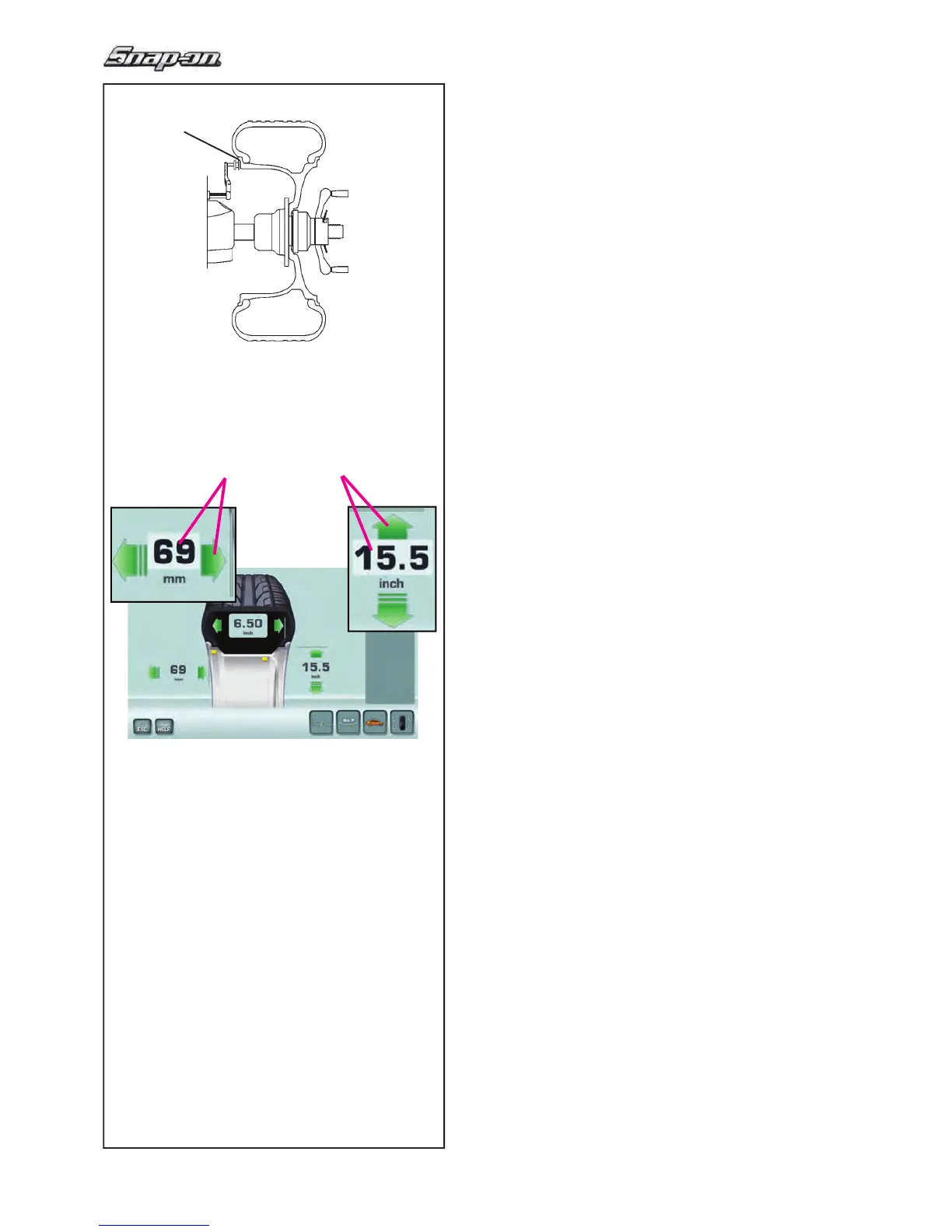
4-10
5-10
1
B C
Operation
5.5.3 Manual entering of the Ofset
Position the gauge arm correctly (1, Fig. 5-10).
— Open the RIM DATA ENTRY screen.
• Read the arm extraction value on the gauged
column.
• Press on the Distance value (B, Fig. 4-10), or the
relative green arrows; the number box indicates the
possibility of editing the data item.
—
Manually turn the wheel forward or back to obtain the
value corresponding to that measured, then press
again to the set the value.
5.5.4 Manual entering of the rim Diameter
Read the nominal rim diameter directly on the rim
or tyre itself.
• Open the RIM DATA ENTRY screen.
• Press on the Distance value (C, Fig. 4-10), or the
relative green arrows; the number box indicates the
possibility of editing the data item.
• Manually turn the wheel forward or back to obtain
the value corresponding to that measured, then
press again to the set the value.


 To Next Page