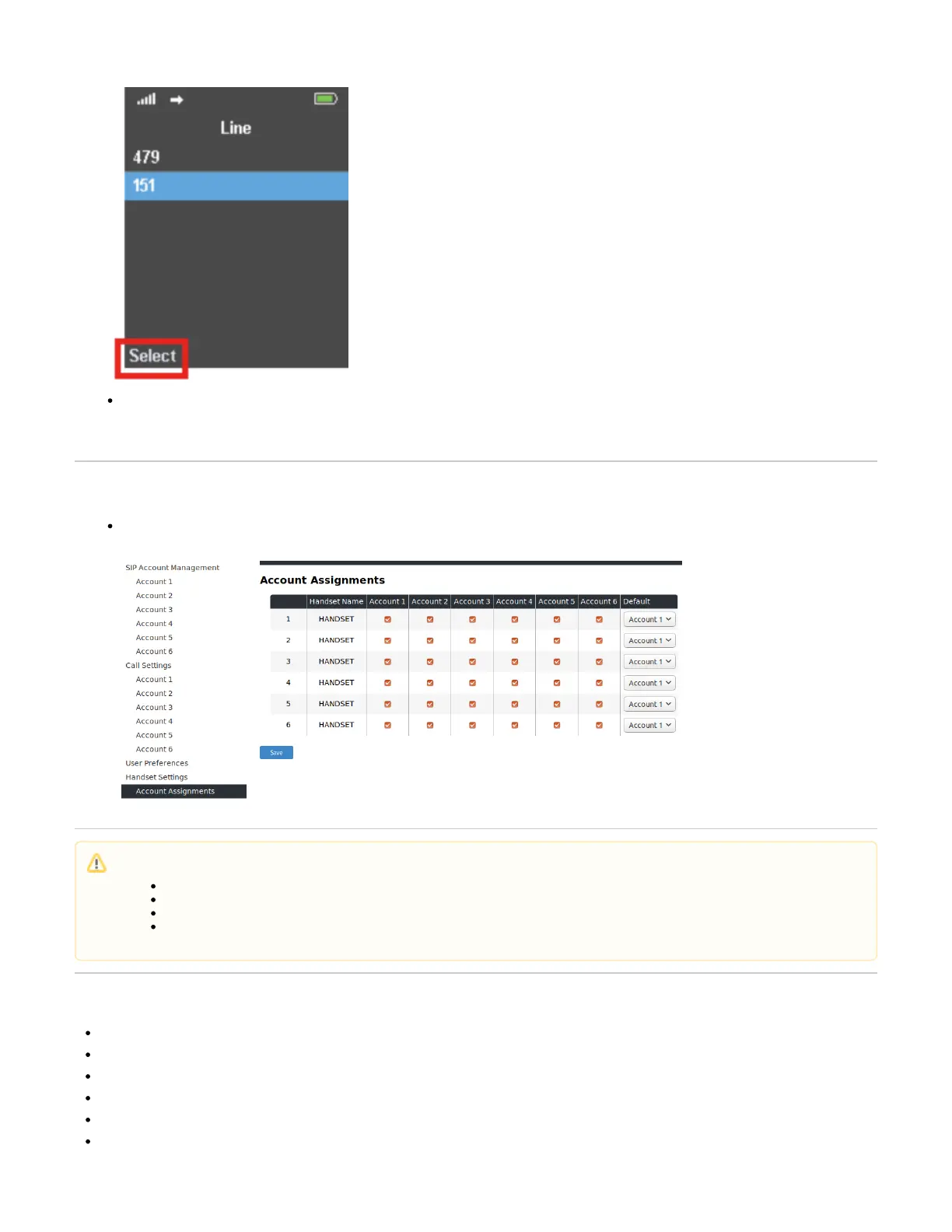
The listed extensions are active for inbound calls, but for the purpose of making outbound calls, you can select the primary SIP extension/line in
this menu.
On the M200
Under S you can choose which extensions to assign to which handset. You can also choose ystem Handset Settings Account Assignments
the Default account for outgoing calls:
Related articles
DECT - 1. Multicell Deployment Guide
DECT - 2. Physical installation
DECT - 3.0 Multicell setup
DECT - 6. Best Practises
DECT - M700, M900 - Activate Multicell Mode
DECT Multi Cell Installation How-to
Further Information
VoIP Essentials
Visit the Snom Forum
Open a support ticket
Find a local partner



 To Next Page