33
User Manual M70 / M80 / M90 Getting to know
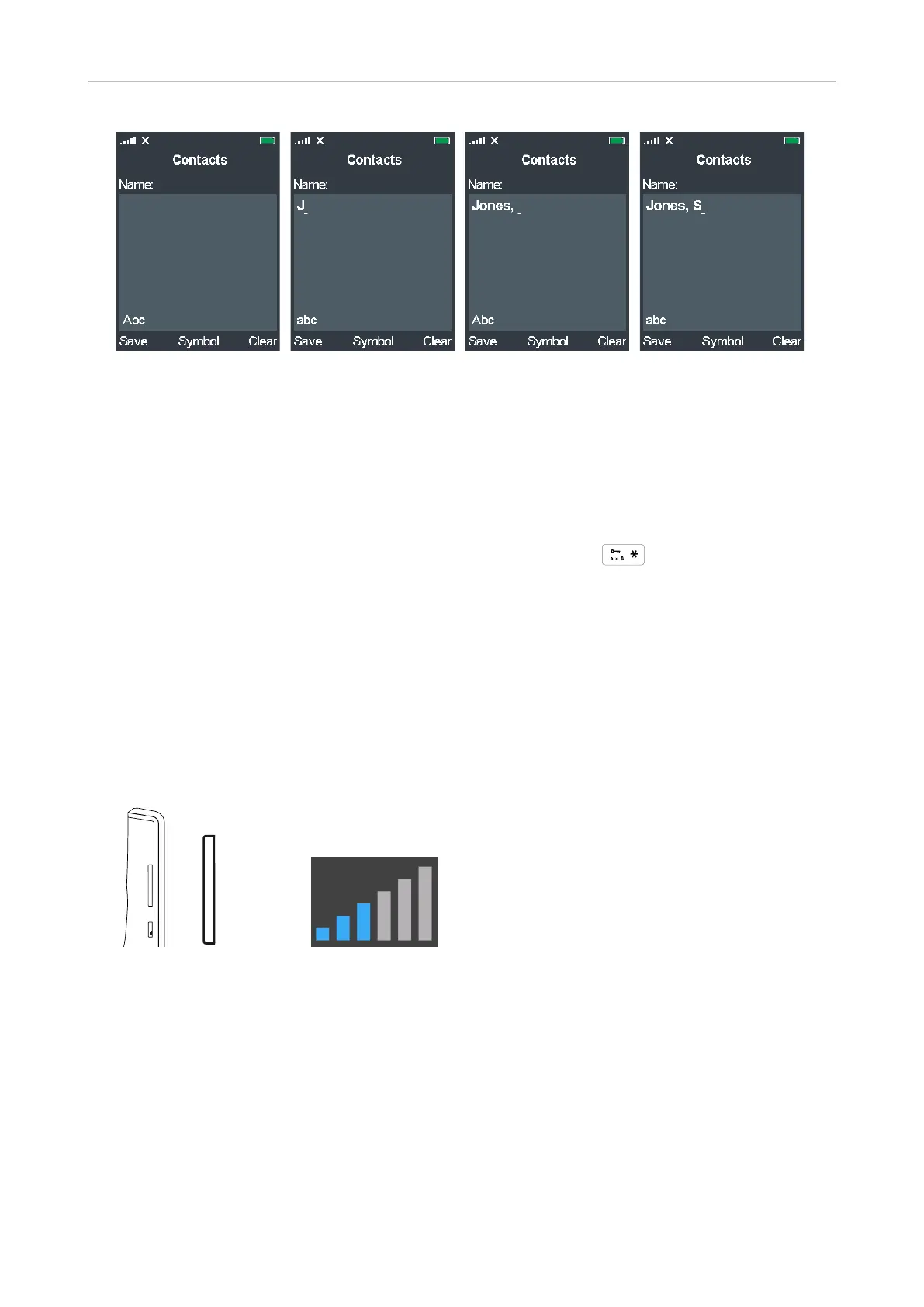
Fig. 5 Fig. 6 Fig. 7 Fig. 8
◦ A capital letter will automatically be used at the beginning of the name (Fig. 5) and after a
space (Fig. 7), as indicated by the letters Abc in the lower left corner of the text field.
◦ When you have typed the first letter (Fig. 6 and 8), letter mode will switch to lower-case
letters, as indicated by the letters abc in the lower left corner of the text field.
Note: Unless you want to type in all upper or lower-case letters, it is not
necessary to switch back and forth between upper and lower-case letter modes.
To switch manually between modes, press the star key .
Volume key
The volume key is the upper key on the left side of the handset. When in a call, press:
• the upper end of the key (marked +) to increase the volume of the loudspeaker one bar at a time.
• the lower end of the key (marked -) to lower the volume of the loudspeaker one bar at a time.
Note: To adjust the volume of the ringer, open Ring volume in the Audio settings menu
(see "Ring volume" on page 47).
TE
mu
+
_
+



 To Next Page