23
7.HARDWARE SPECIFICATIONS
Power supply : DC 12V / 1A, Adapter.
Working environment : Temperature 0℃– 60℃, Humidity: 15% - 85%.
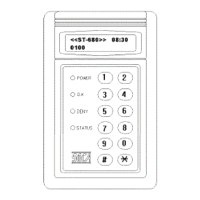
LCD : 16*2 STN LCD display with 4 LED’s indicators.
Buttons : 12 stainless steel buttons.
Real Time Clock : Internal equipped with a Real Time Clock (RTC) IC.
RAM : 128 KB memory.
Power backup system : Equipped with standby battery for saving if power is cut.
Communication system : Equipped internally with RS-485 interface. It can be
expanded to 255 terminals linking with computer operation simultaneously.
Output control system :
(A) Alarm output terminal can be connected with additional external alarm unit for
sounding.
(B) Open door output terminal can be matching used with electric lock for access
control.
(C) Anti-duress output terminal can be connected with hidden alarm to send help signal
to the nearest police station.
Input sensing system :
(A) Push button door open sensing point. Door will open instantly when button is
pressed.
(B) Door status terminal can be connected with external magnetic spring for sensing if
the door is closed or not.
(C) Anti-theft sensing terminal can be connected with external magnetic spring for
sensing if any appliances are closed or not.
(D) Anti-tamper sensing terminal uses to sense if the reader is being tampered by
force.
8. ATTENTIONS
1. Confirm the power supply voltage and polarity before installation to prevent any wrong
connection that causes damage to the reader.
2. Use separate power supply to the electric lock and the proximity reader.
3. Do not install the reader nearby any metal equipments or detector area to prevent
interference of read distance.
4. Do not try to fix or modify the reader without authorized electrician. The reader is
guaranteed for one year.
9. TROUBLESHOOTING
1. Reader has no reaction or door does not open with proximity card.
Solution: (1) Please check if the POWER light (red) is on. If not, please check the power supply
to turn the reader on.
(2) Please check if the proximity card is defected. User may use another proximity card
to test.
(3) Please check if personal password is entered incorrectly or the user is still in the
setup mode.
(4) Continuous proximity. Please remove the card form the reader and try again.
(5) Check if the DENY light (yellow) is on and continuous beep sound occur. This
indicates the user’s proximity card is not registered yet.
(6) Please check if OK light (green) is on and door-opening sound can be heard at the


 To Next Page
 Loading...