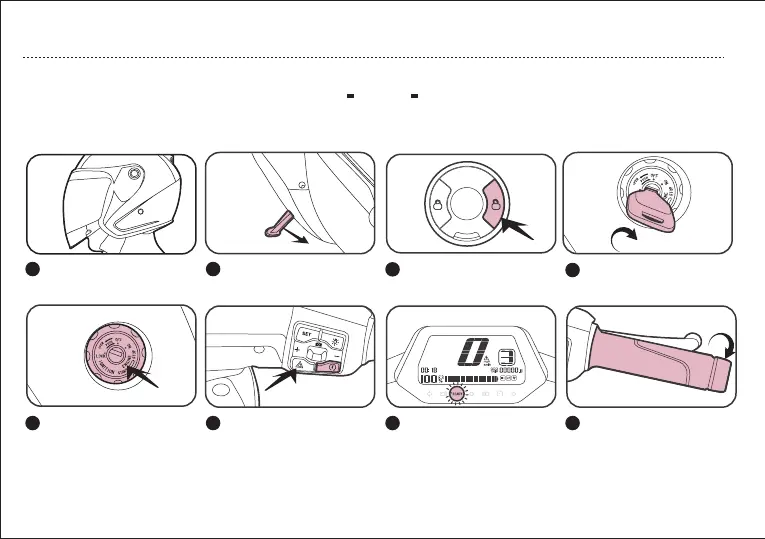
Put on the helmet.
1
Get on your CU, retract
the side stand and center
stand.
Press “Power” button on
the control. Power on.
2 3 4
Insert the mechanical key
and rotate it to “On”.
5
Press the “Parking”
button
6
Gently twist the throttle
to ride on the road.
8
Apply the brake, the READY
light on, the vehicle exits
parking state.
7
Press “Unlock” button on
the intelligent remote
control.
6
STARTING VEHICLE
QUICK START
04
Note:When the vehicle remains stationary for a long time in power-on state, it will switch to the parking state. Gently hold the
brake,and the power will be on again.


 To Next Page