Need help?
Do you have a question about the SOCO CU and is the answer not in the manual?
Lists all included accessories with quantities for the scooter.
Step-by-step guide for attaching rearview mirrors to the scooter.
Instructions for installing the battery into the scooter's compartment.
Procedure for powering on and preparing the scooter for riding.
Guide to downloading and installing the SOCO companion mobile app.
Key technical dimensions, wheelbase, and carrying capacity.
Information on total weight and axle load limits.
Technical details of the scooter's controller unit.
Performance data for the electric motor.
Details on battery type, voltage, and capacity.
Specifications for lighting and circuit protection.
Technical details of the battery charger.
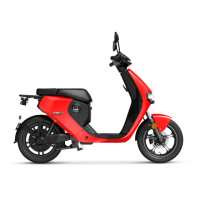
Visual diagram illustrating the scooter's components.
Displays and explains important warning labels on the vehicle.
Explanation of the dashboard display and indicators.
Details on front and rear brake operation and free stroke.
Operation of horn, turn signals, and high/low beam switch.
Operation of the SET button for display adjustments.
Operation of ride mode selection, hazard lights, camera, and parking switch.
How to use the smart remote for locking and unlocking the vehicle.
Steps for starting the scooter using mechanical key or keyless start.
Explanation of the main power breaker and camera functions.
Essential safety checks to perform before operating the scooter.
Step-by-step guide for starting the scooter for a ride.
Advice on safe acceleration, speed, load, and parking.
Instructions and tips for installing and connecting the battery pack.
Guidelines for storing and transporting the battery safely.
Overview of the SOCO App's diagnostic, security, and social features.
Advice on cleaning the vehicle and storing it properly.
Important safety warnings related to vehicle maintenance procedures.
Common problems, their causes, and recommended solutions.
List of error codes displayed on the dash and their meanings.
Troubleshooting common battery issues and error codes.
Additional battery troubleshooting scenarios and solutions.
Periodic maintenance checks and required torque values.
 General
| Category | Scooter |
|---|---|
| Battery Voltage | 60 V |
| Max Speed | 45 km/h |
| Max Load | 150 kg |
| Brakes | Disc |

 To Next Page