1
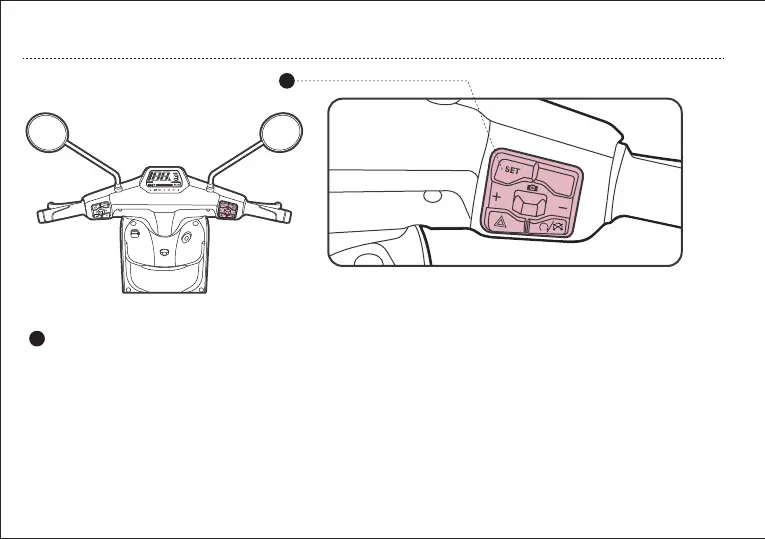
SET button
a. In normal mode, short press the button switch. The
mileage display mode is switched (ODO/trip), the status
is saved.
Display adjustment
c. In normal mode, long press the button to turn on the
speedometer backlight and headlight . Display Unit Switch
(km or mile,km/h or mph) In normal mode, long press
the button to switch the unit and save the status.
Remark:
Short press the button for less than 2 seconds, then release.
Moderately press the button for less than 8 seconds and more than 2
seconds, then release.
Long press the button for more than 8 seconds,
then release.
b. In the short mileage mode, moderately press, then
reset the short distance (Trip), save the state.
1
b. Right Handlebar Control Assy
OPERATION GUIDE
16


 To Next Page